
Everyday work and client requests in one place
Tasks, tickets and routine work, each linked to the brand, project and client it belongs to. Nothing lives in someone's inbox.
Tasks
A list when you plan, a board when you work
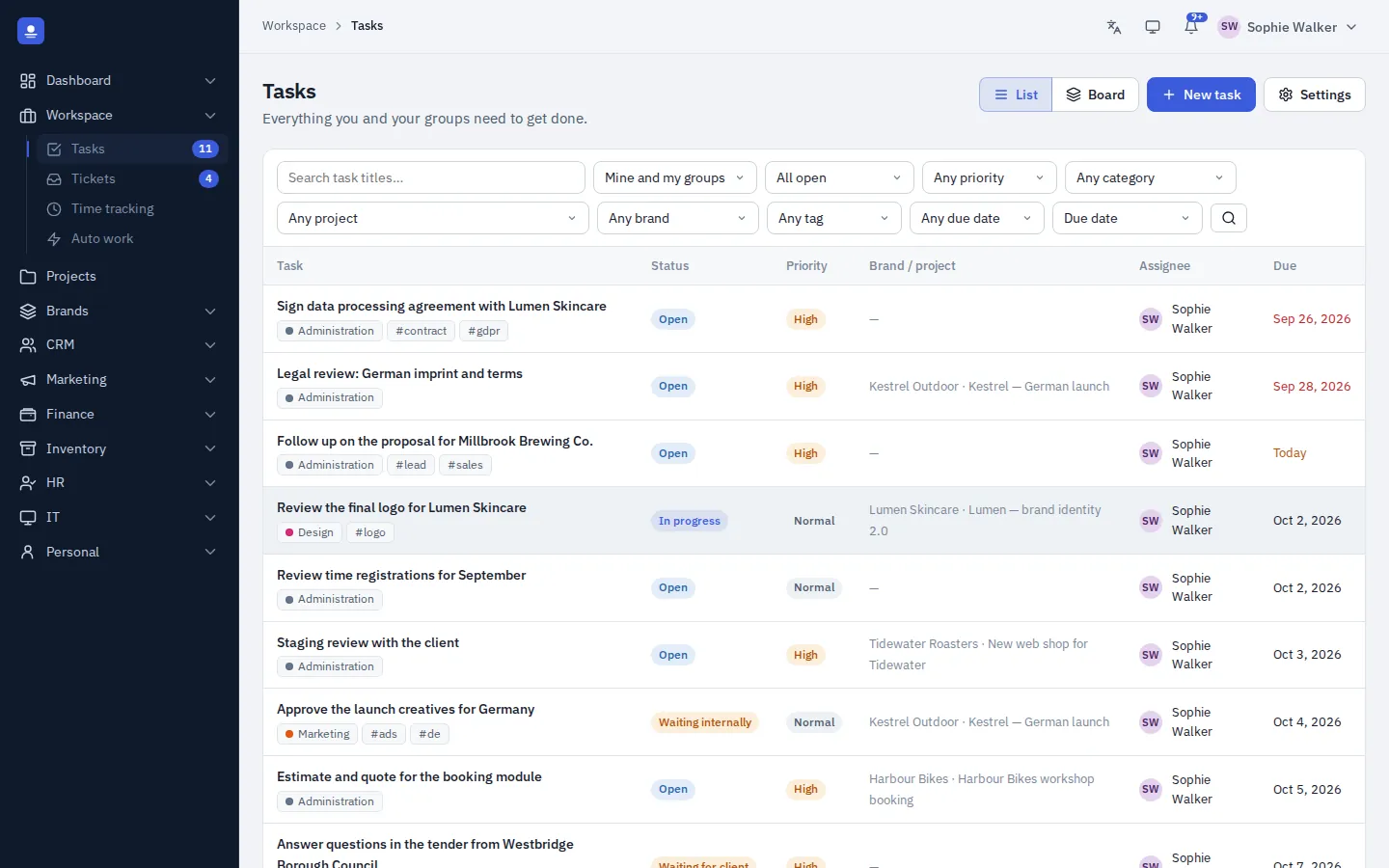
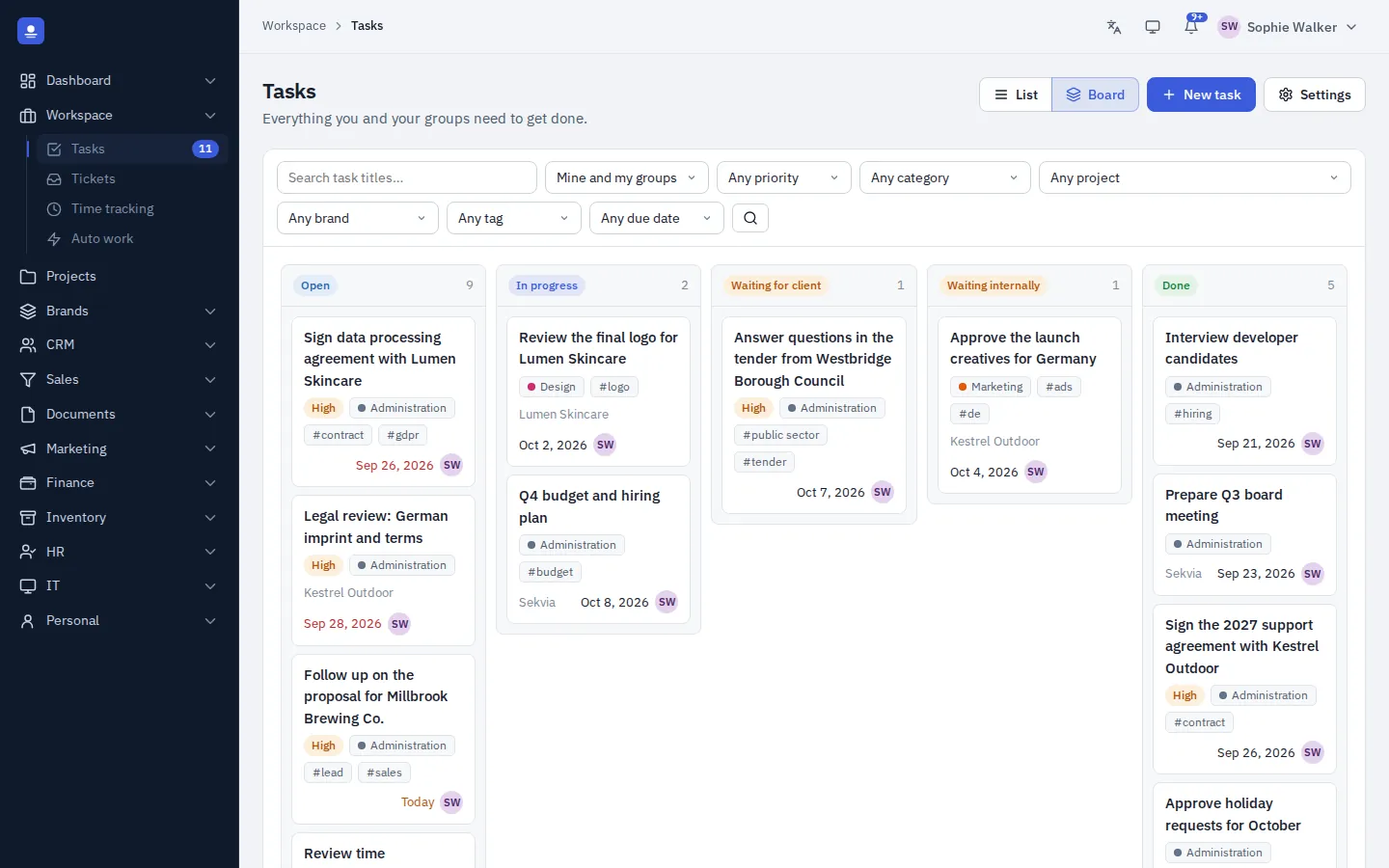
Create tasks with assignee or group, priority, due date, category, tags and notes. Switch between a filterable list and a drag-and-drop status board with one click.
Pick a project and the brand and client follow automatically. Pick a brand and only its projects are offered. Searchable pickers keep it fast, even with many clients.
- Assign to a person or a whole group
- Filter by project, brand, tag, priority and due date
- Start a timer or log time straight from a task
Tickets and client portal
Every request in one queue
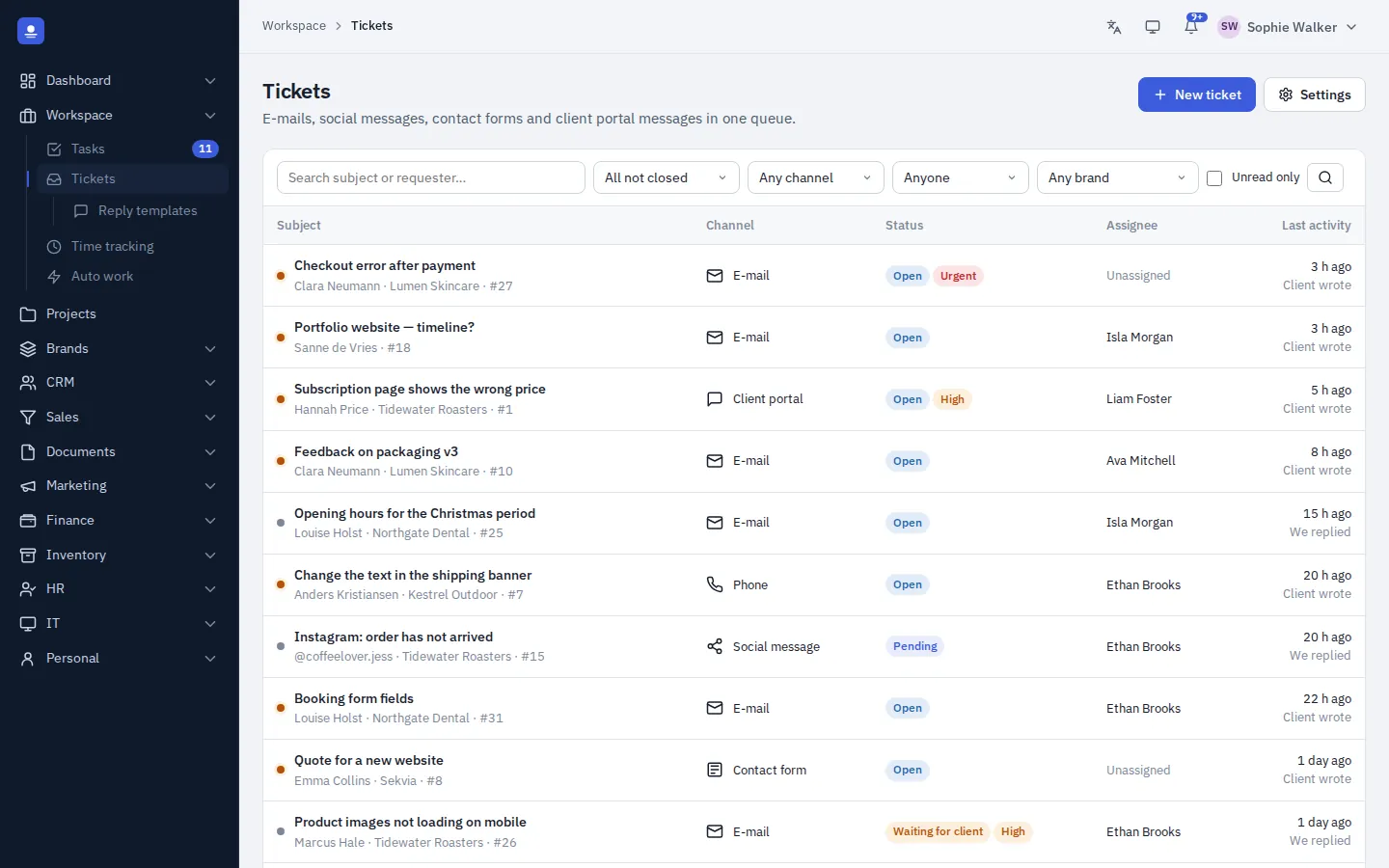
Requests from the client portal, e-mail, phone, contact forms and social media land in one place. Incoming e-mails become tickets by themselves, and you answer them with reply templates. Each ticket has a message thread, internal notes, status, priority and unread markers, and can be turned into a task with one click.
Clients sign in to a portal on your own site to send messages, follow their conversations and manage their account. Staff replies can be e-mailed to them automatically.
Auto work
Routine work that creates itself
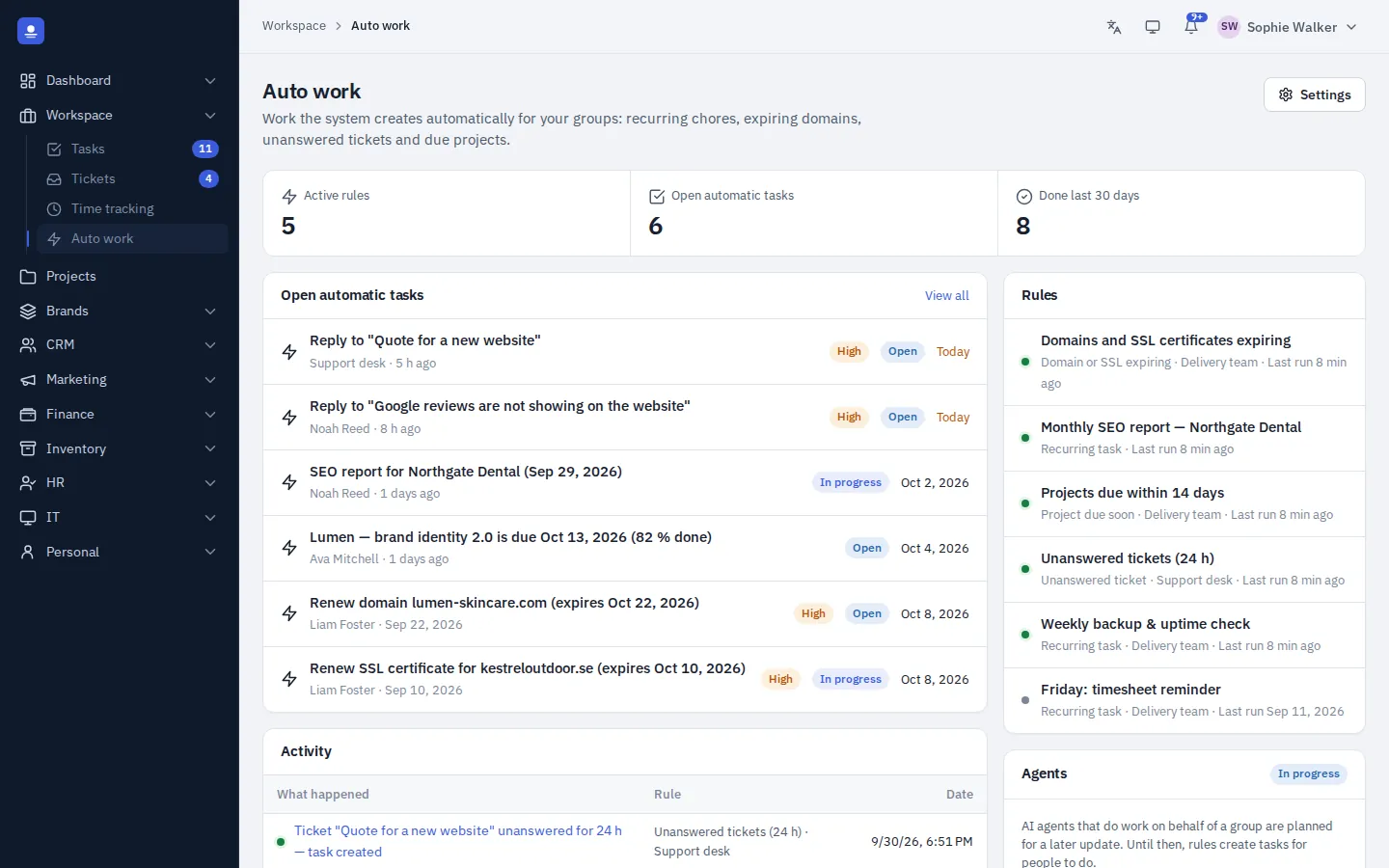
Auto work rules create tasks on their own, so the recurring and the urgent never depend on someone remembering. A log shows every run and exactly what it created.
Next up: AI agents in Auto work that carry out routine tasks alongside your rules, with approval steps and a full log. Read about AI in PolyOmi.
- Recurring work such as weekly reports and monthly checks
- Domains and SSL certificates about to expire
- Tickets left unanswered
- Project deadlines coming up
In detail
Everything in the workspace
-
List and board
Switch between a filterable list and a drag-and-drop status board.
-
Smart linking
Project, brand and client stay in sync, with searchable pickers.
-
Tickets from every channel
Portal, e-mail, phone, contact forms and social media in one queue.
-
Internal notes
Discuss a ticket with colleagues without the client seeing it.
-
Client portal
Clients send messages, follow conversations and manage their account on your site.
-
Auto work rules
Recurring tasks, expiry warnings, unanswered tickets and deadlines turned into tasks.
-
Time on every task
Start a timer from a task, so hours land on the right project for billing.
-
AI agents in Auto work Coming soon
Agents that carry out routine tasks with approval steps and an audit log.
-
E-mail to tickets
Incoming e-mails become tickets, with reply templates per language.
More from the workspace
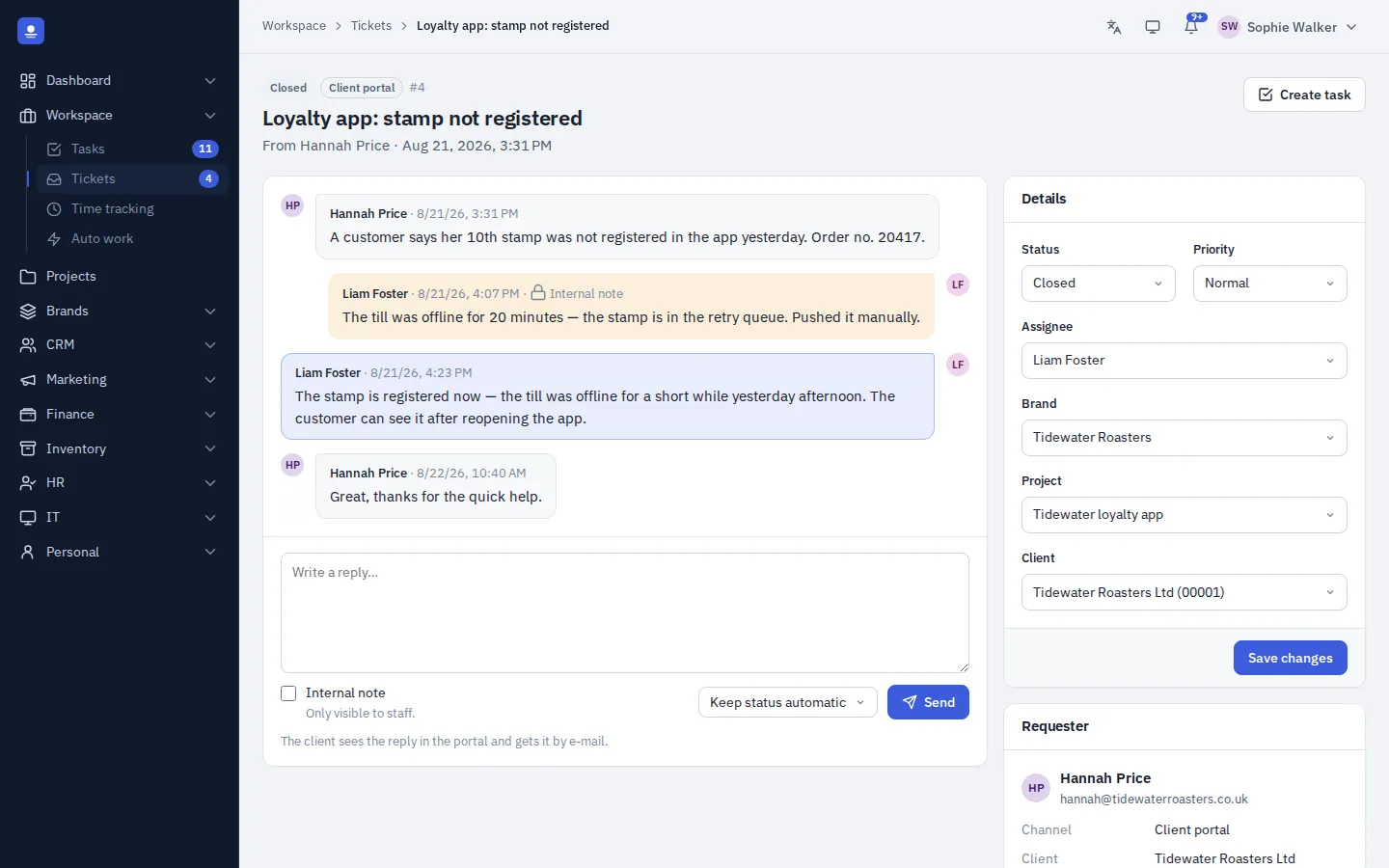
Inside a ticket: thread, internal notes and context
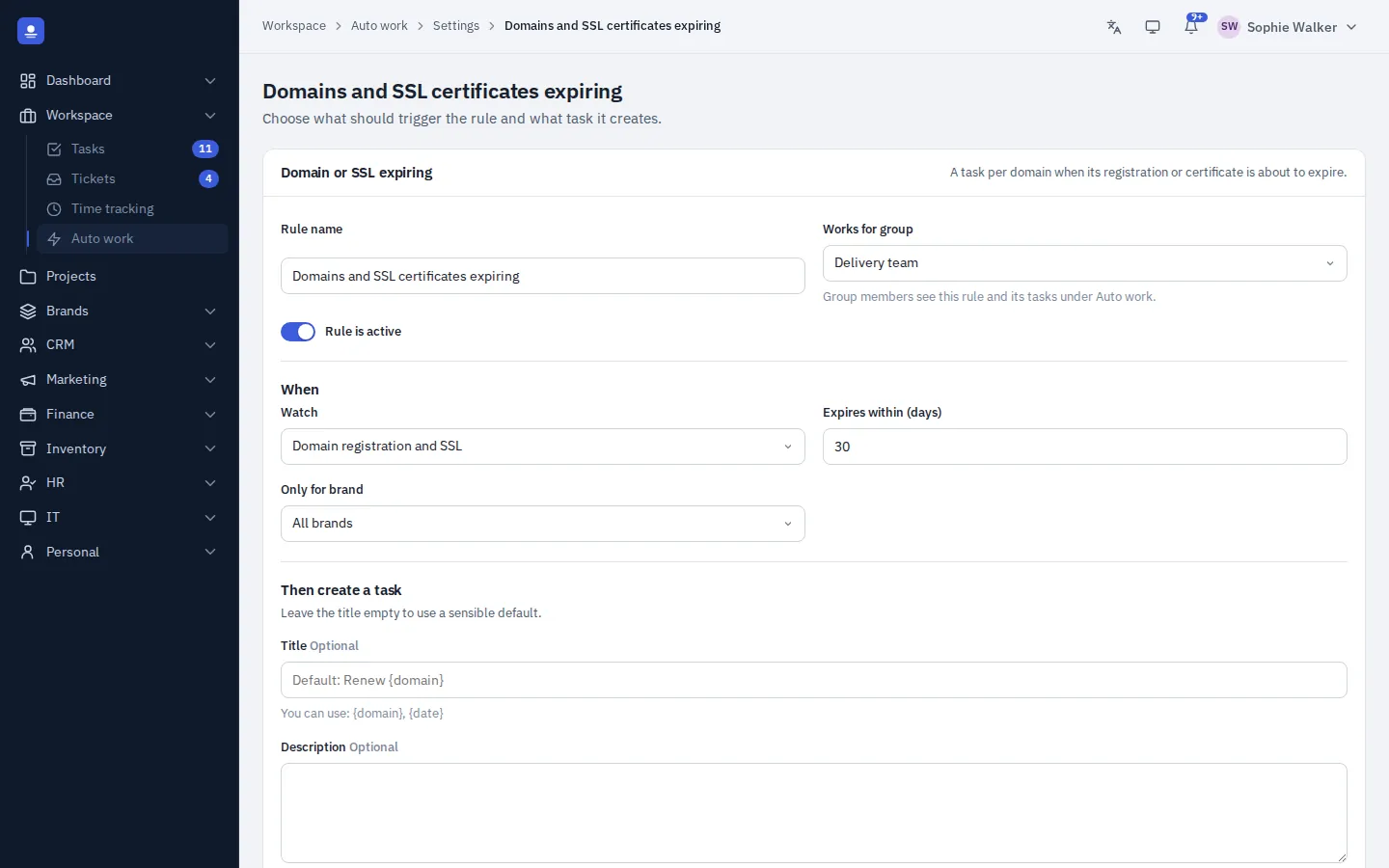
Set up a rule once and let it run
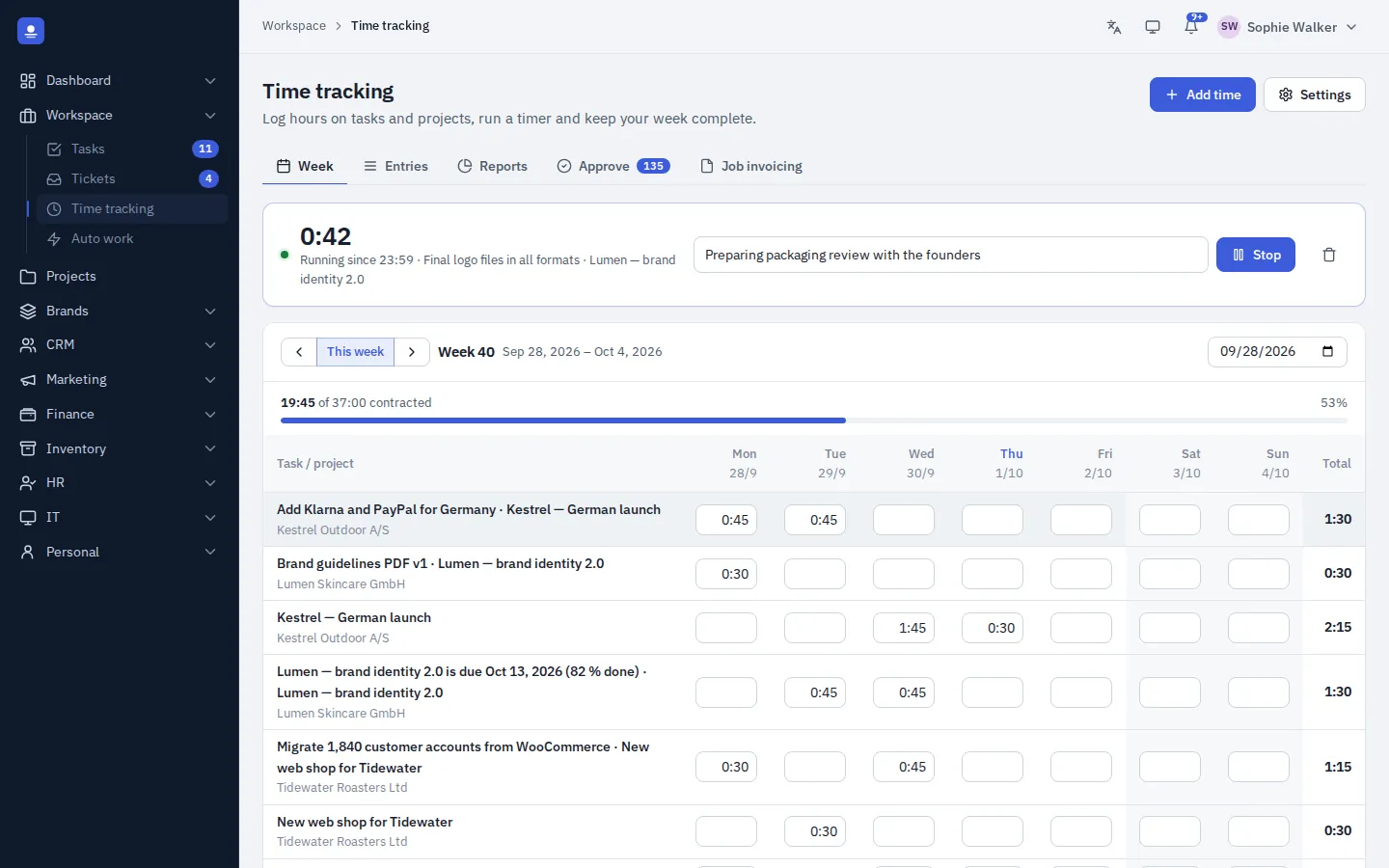
Hours from tasks land in the timesheet
Workspace FAQ
Can clients create tickets themselves?
Yes. Clients sign in to the portal on your own site, send messages and follow their conversations. Staff replies can be e-mailed to them automatically.
Do tickets arrive from e-mail automatically?
Yes. PolyOmi fetches mail over POP3 and turns each e-mail into a ticket, and portal messages arrive by themselves. Phone and social media requests you log in the queue. Read about e-mail.
What can Auto work create?
Tasks for recurring work, expiring domains and SSL certificates, unanswered tickets and approaching project deadlines. A log shows every run.
Are AI agents available?
Not yet. AI agents in Auto work are on the roadmap. See what's planned.
Get the work out of the inbox
PolyOmi is in closed beta. Join the waiting list to move your tasks and tickets in when a spot opens.