
Know every client
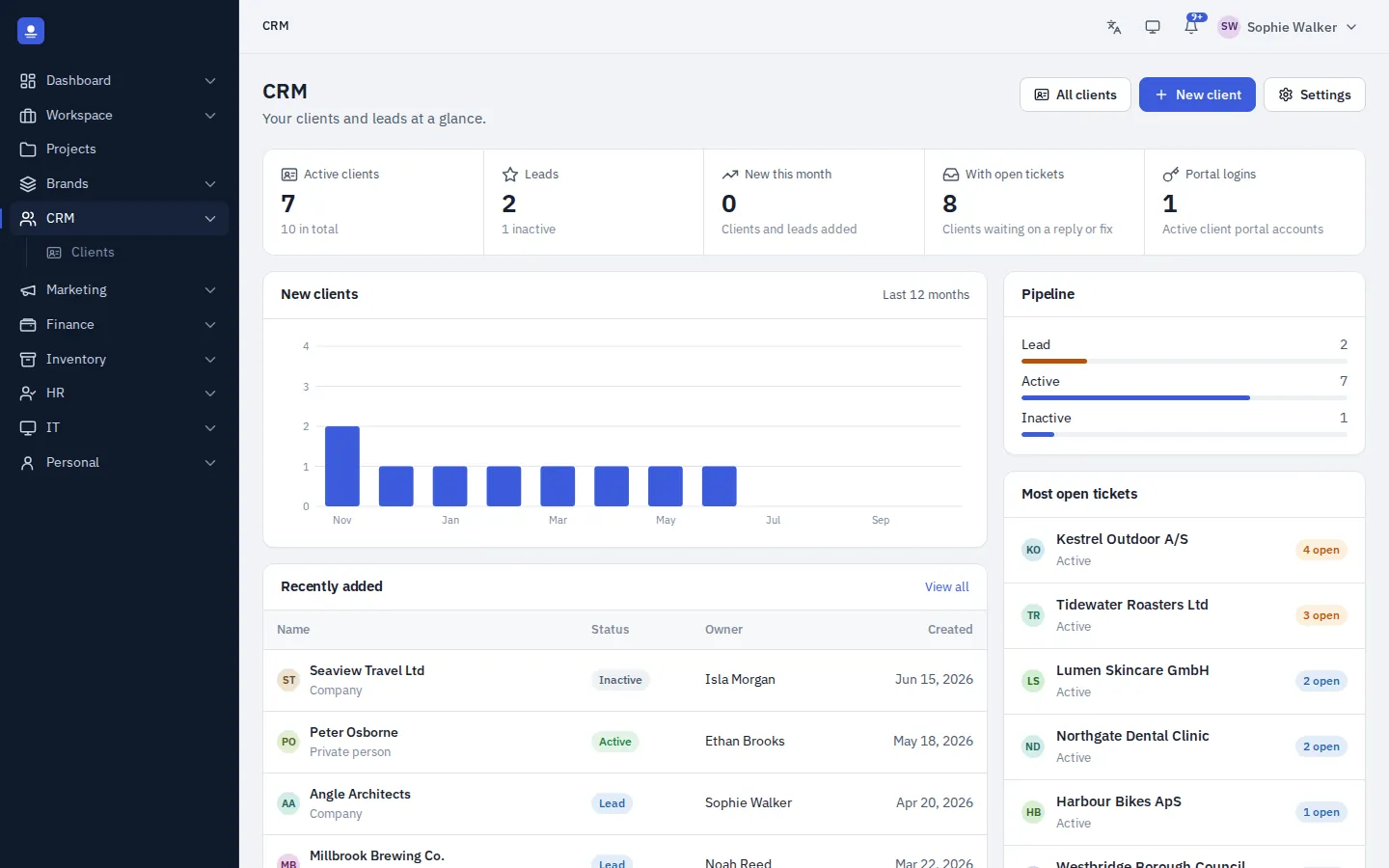
Companies and private persons, leads and active clients, with their contacts, brands, projects, tickets and invoices in one view, connected to everything else you do.
- Encrypted client data
- Your own customer number format
- Client portal included
- Linked to projects, tickets and invoices
Client page
The whole relationship on one page
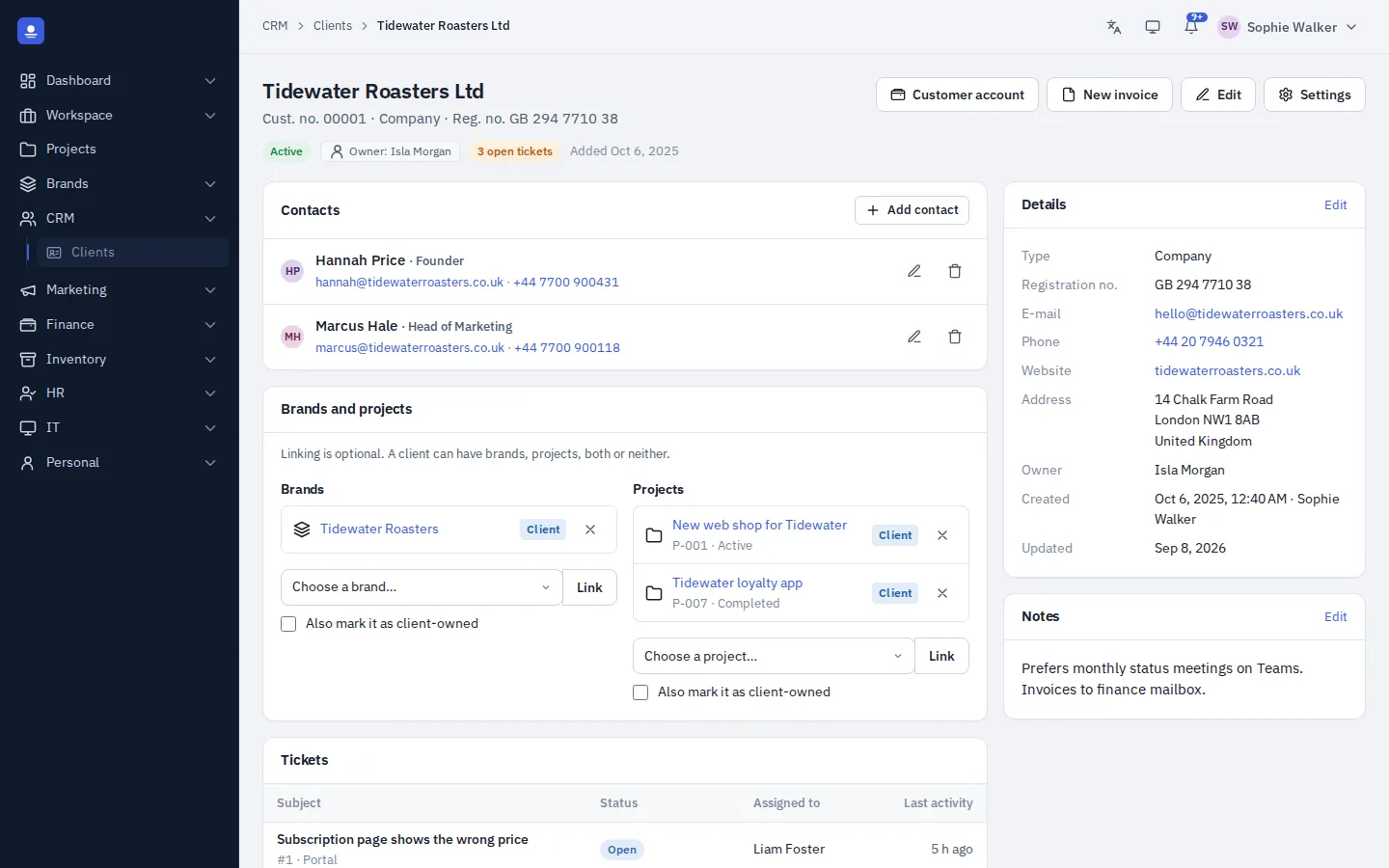
Each client has registration number, contact details, address, owner, status (lead, active or inactive) and private notes. All of it is encrypted in the database.
Below, you see the client's contact persons, brands, projects, open tickets and invoices. No switching between systems to answer a simple question.
- Several contact persons per client
- Brands, projects, open tickets and invoices in one place
- Private notes that stay encrypted
Sales pipeline
From lead to won deal
Every deal in the sales pipeline is linked to a client or lead in the CRM. Follow it on your own stages with a value, an expected close date and an owner, see forecasts weighted by stage, create the quote from the deal, and capture leads straight from your website forms. When you win, the lead becomes a client.
- Deals and your own stages on a board
- Forecasts weighted by stage
- Leads from your website forms
In detail
What the CRM does today
-
Companies and private persons
Registration number, contact details, address, owner and status. Type a CVR number and get the company's name and address filled in for clients and suppliers. We also keep an eye on the status of the company and you can be notified if there is any change.
-
Encrypted client data
Contact details and private notes are encrypted in the database.
-
Your own customer numbers
Choose prefix, length and format, digits or letters, sequential or random.
-
Contacts
Several contact persons per client, each with their own details.
-
Portal invitations
Invite contacts to the client portal with an e-mail in their language.
-
Client overview
New clients per month, leads versus active and clients with most open tickets.
-
Invoices on the client
Billing profile, invoices and statements linked to the client.
-
Sales pipeline
Deals, your own stages, weighted forecasts and activities.
CRM FAQ
Is there a sales pipeline?
Yes. The sales pipeline adds deals, stages, forecasts and activities on top of your clients and leads, and a won deal turns the lead into a client.
Can I keep my existing customer numbers?
You set the prefix, length and format of automatic customer numbers, and each number can be edited when needed.
Is client data encrypted?
Yes. Contact details, messages and notes are encrypted in the database on your own server.
Bring your clients into one system
PolyOmi is in closed beta. Join the waiting list to connect clients to projects, tickets and invoices when a spot opens.