
Bank and books in agreement
Import your statements, let PolyOmi match what it can, and book the rest from the same screen. You always see what is open, and a report explains every difference.
Join the waiting listSee finance & bookkeeping
- CSV and CAMT.053
- Auto-match
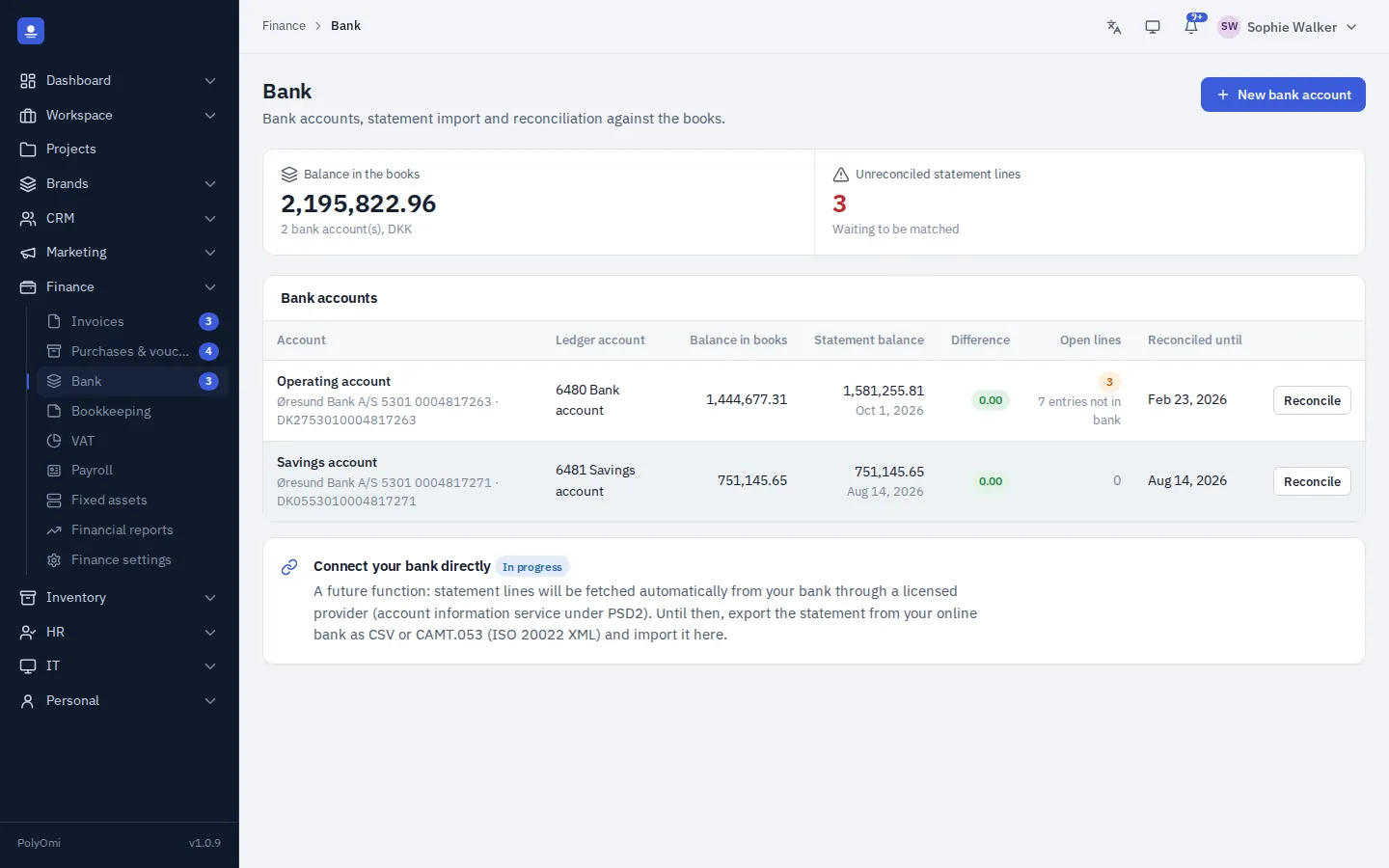
- CSV and CAMT.053 import
- Duplicates detected
- Auto-match
- Reconciliation report as PDF
Reconciliation
Match, book or explain
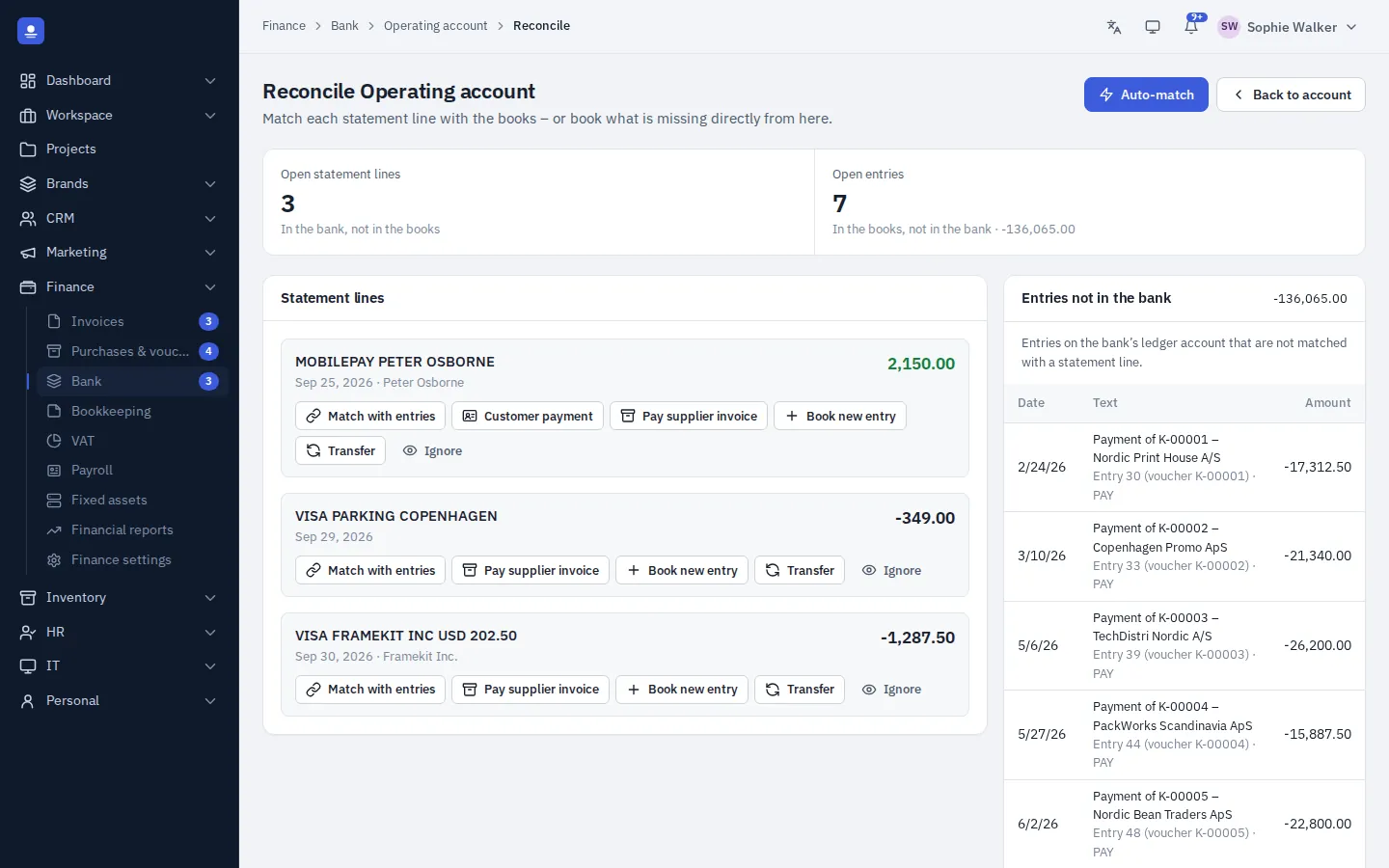
Each statement line sits next to the entries in the books that are not yet in the bank. Auto-match pairs the obvious ones. For the rest, match with entries, register a customer payment, pay a supplier invoice, book a new entry or record a transfer between accounts.
Bank fees and transfers are booked in a few clicks, and payroll payments match against the pay run.
- Match to invoices, bills, payroll and postings
- Quick booking of fees and transfers
- A clear count of open lines on both sides
How it works
Reconciled in four steps
Import
Download a statement from your bank as CSV or CAMT.053 and import it. Lines you already have are detected as duplicates.
Auto-match
PolyOmi pairs statement lines with open invoices, bills, payroll and postings.
Handle the rest
Match manually, book fees and transfers, or book a new entry straight from the line.
Document
Print the reconciliation report showing the difference between bank and books and every open item.
Capabilities
Everything for the bank
-
Bank accounts
Keep several bank accounts, each linked to its account in the chart of accounts.
-
Statement import
Import statements as CSV or CAMT.053, with duplicate detection.
-
Reconciliation
Match lines to invoices, bills, payroll and postings, with auto-match.
-
Reconciliation report
A PDF that shows the difference between bank and books and explains every open item.
-
Payment list
Export a list of bills that fall due, ready for your bank.
-
Compliance check
The compliance checklist keeps an eye on bank reconciliation for you.
-
Direct bank connection Coming soon
Bank transactions fetched automatically instead of imported from a file.
Questions about bank
Does PolyOmi connect directly to my bank?
Not yet. Today you import statements as CSV or CAMT.053, formats most online banks offer. A direct bank connection that fetches transactions automatically is coming soon.
What happens if I import the same statement twice?
PolyOmi detects duplicate lines, so they are not added twice.
Can I reconcile several bank accounts?
Yes. Each bank account has its own statement lines and its own reconciliation.
Why does the reconciliation report matter?
It documents that bank and books agree, or explains why they do not. It is useful at month end, at year-end and for your accountant.
Close the month with confidence
PolyOmi is in closed beta. Join the waiting list to reconcile your bank in the same system as your invoices and bookkeeping when a spot opens.