
Every hour recorded, every hour billed
Log time, approve it and turn it into an invoice in the same system. Hours flow into project economy, payroll and your month-end result.
From hour to invoice
Four steps, no spreadsheet
Log
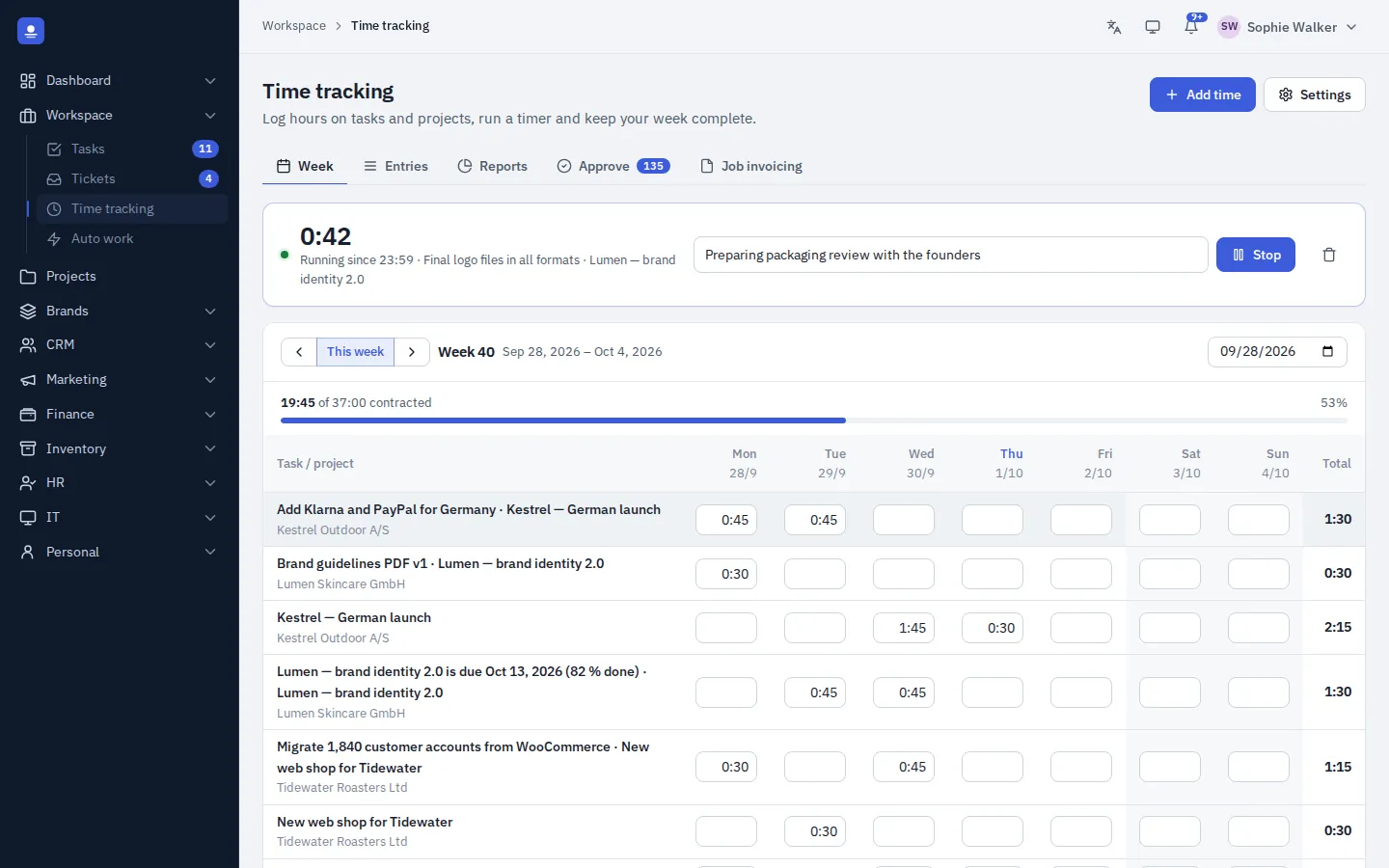
Start a timer or fill in the week grid. Every entry links to a client, project or brand.
Approve
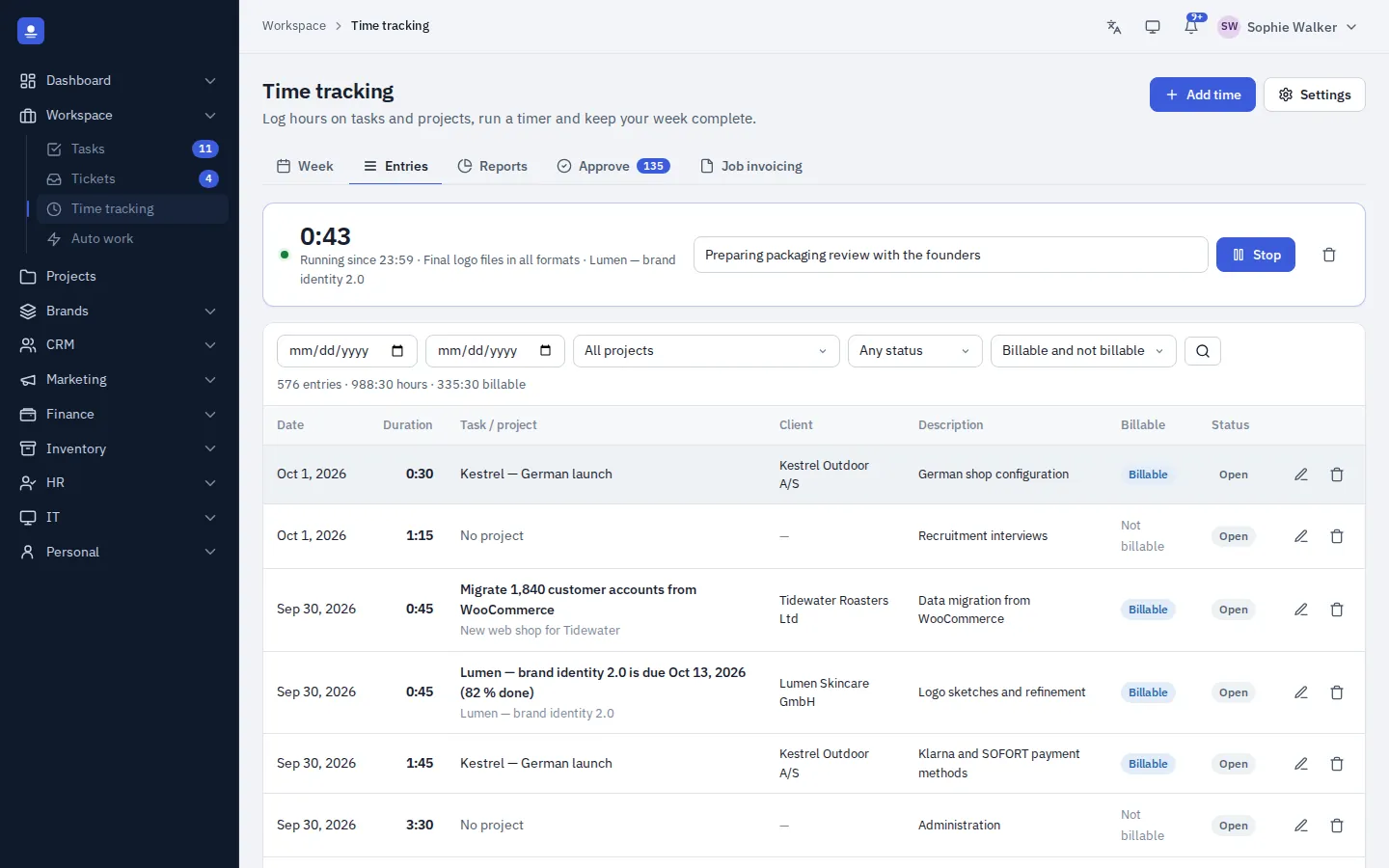
Managers approve timesheets before hours are invoiced or used in payroll.
Invoice
Select approved hours and create an invoice in one step. Invoiced hours are marked.
Close the month
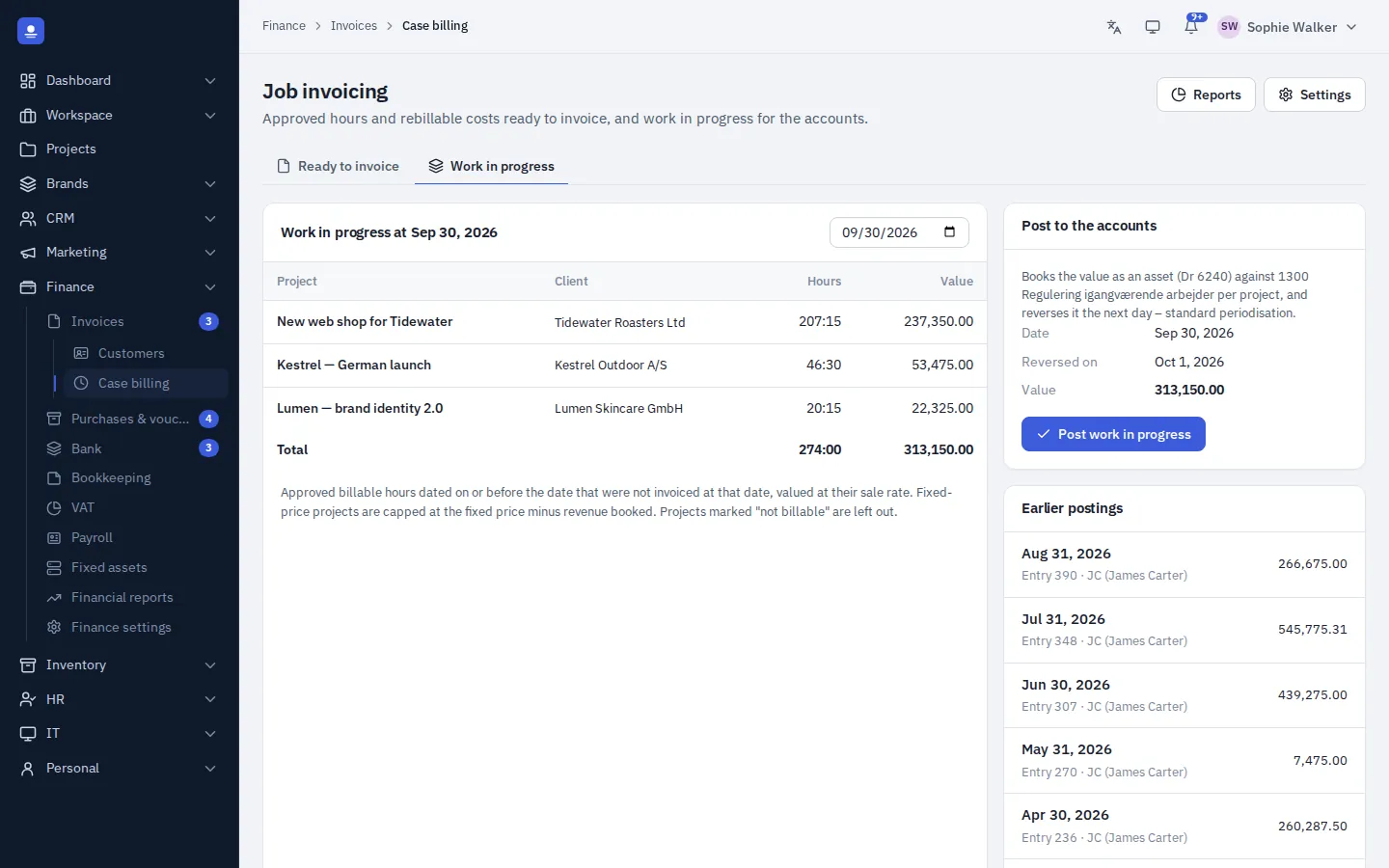
Post unbilled hours as work in progress, so the month's result is true.
Timers and timesheets
Log time the way you work
Start a timer with one click, from the timesheet or straight from a task, or fill in a week grid at the end of the day. Every entry links to a client, project or brand and is marked billable or non-billable, so you always know how much work can be invoiced.
- One-click timers, also from tasks
- Week grid for quick entry
- Billable and non-billable time
Reports and utilisation
See where the hours go
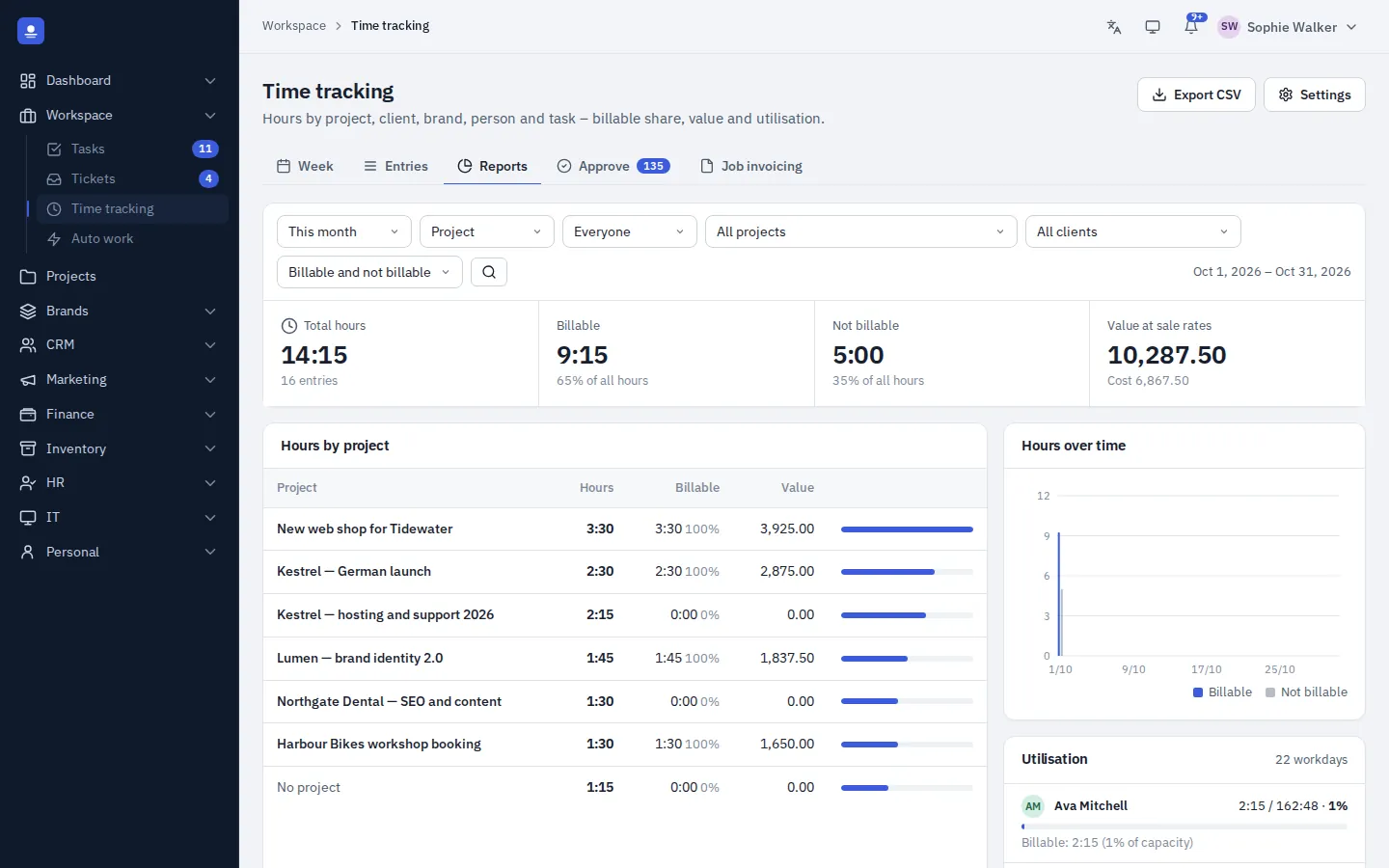
Hours by person, client and project, and each employee's billable utilisation over time. Set an hourly sales rate and a cost rate for every employee, so each hour carries both a price and a cost.
Work in progress
A true month-end result
Hours you have worked but not yet invoiced are still value. At month end, PolyOmi posts unbilled hours as work in progress in the books, so the result reflects the work actually done.
When you invoice from approved hours, those hours are marked as invoiced, so nothing is billed twice.
Project and brand economy
Budget against actual
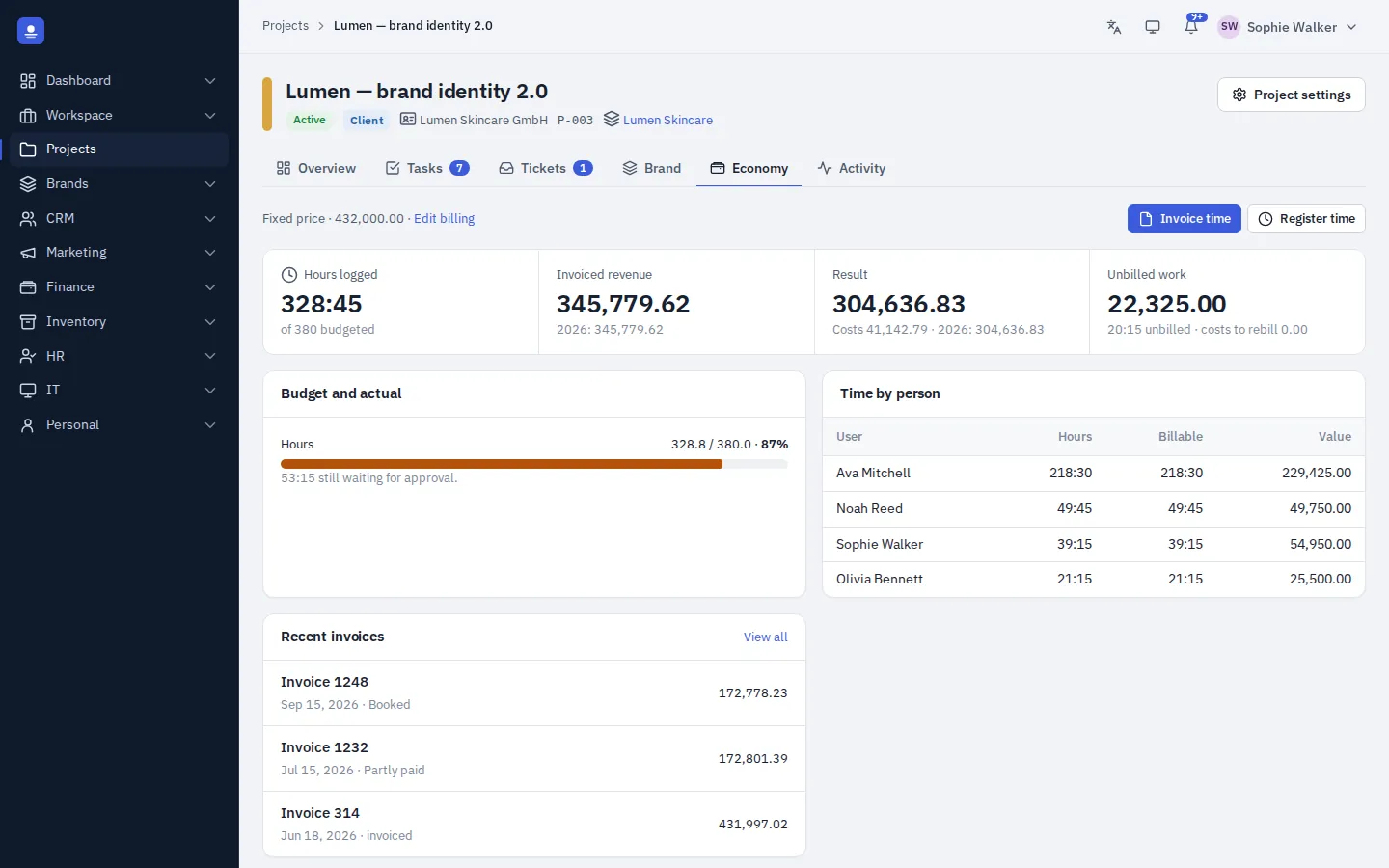
Each project and brand has an economy tab with budget against actual, hours, costs, amounts invoiced and the result. The numbers come straight from time tracking, invoicing and the ledger.
In detail
Everything in time and billing
-
Timers
Start and stop with one click, also from a task.
-
Week timesheet
Enter a whole week in one grid.
-
Rates per person
Hourly sales rate and cost rate for every employee.
-
Approvals
Approve timesheets before invoicing or payroll.
-
Utilisation
Billable utilisation per employee over time.
-
Invoice from hours
Approved hours to invoice in one step, never billed twice.
-
Work in progress
Unbilled hours posted at month end.
-
Hours in payroll
Approved hours for hourly staff flow into the pay run.
Time tracking FAQ
Can hourly employees be paid from their timesheets?
Yes. Approved hours for hourly staff can be used in the pay run. About payroll.
How do I avoid billing the same hours twice?
When you create an invoice from approved hours, those hours are marked as invoiced and are not offered again.
What is work in progress?
Hours worked but not yet invoiced. PolyOmi can post them in the books at month end, so your result includes the work actually done.
Is there a mobile app for time tracking?
Not yet. PolyOmi runs in the browser, and mobile apps are on the roadmap.
Stop losing billable hours
PolyOmi is in closed beta. Join the waiting list to start logging time when a spot opens.