
Contracts written, sent and signed in one place
Documents with versions, stored on the client, project or employee they belong to. Templates that fill in client, company and price details for you. And e-signature that tracks the status until everyone has signed and files the signed copy where it belongs.
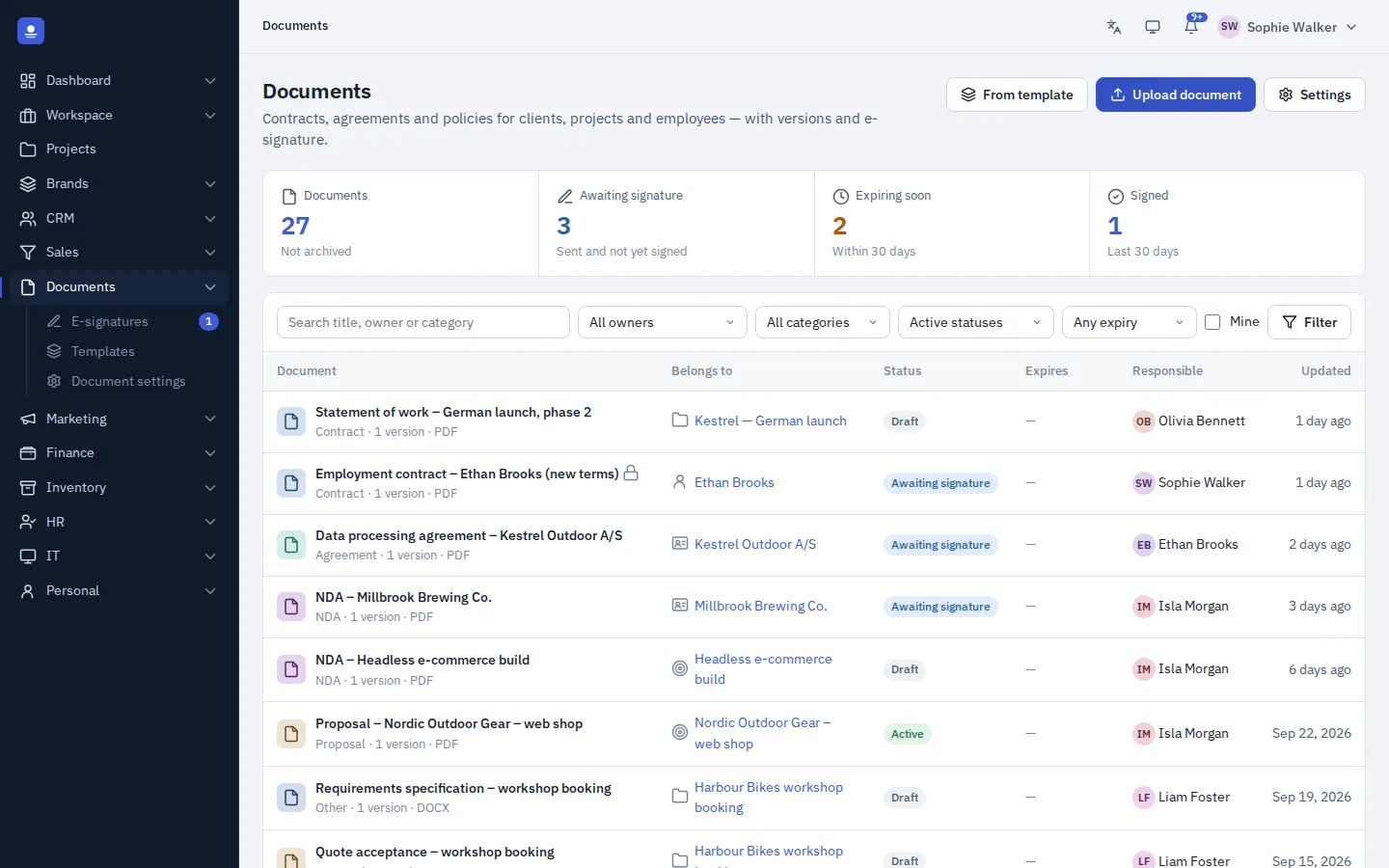
- Documents with versions
- Templates that fill themselves in
- E-signature built in
- Signed copies stored automatically
Documents where they belong
Every document on the right record
Store documents on the client, the project or the employee they concern. When you update a document, the new version is saved alongside the earlier ones.
No shared drive with folders nobody keeps tidy. Open a client, a project or an employee, and the documents are right there.
- Documents on clients, projects and employees
- Versions kept for every document
Templates
Contracts that fill themselves in
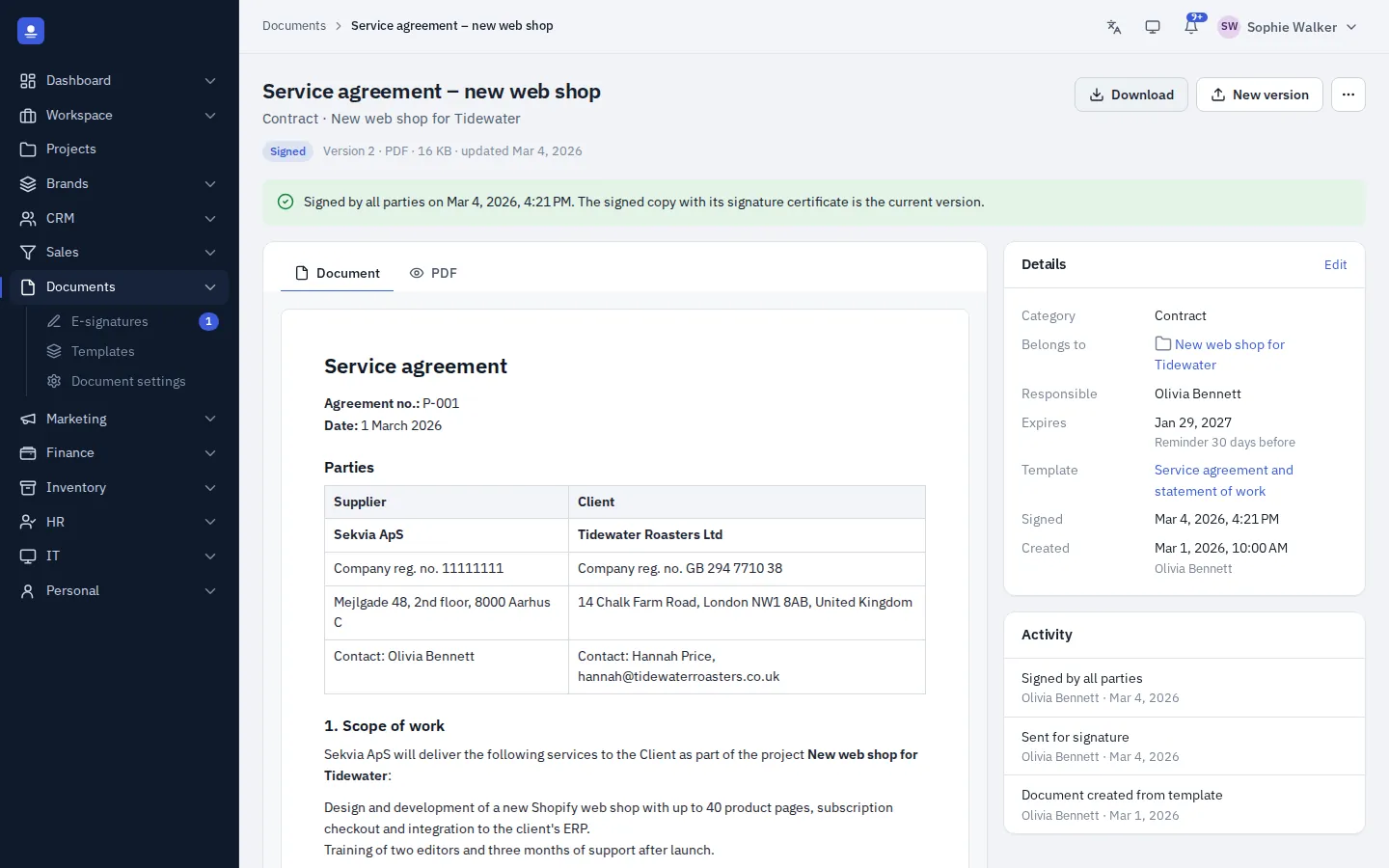
Write contracts and other documents once, as templates. When you create a document from a template, PolyOmi fills in the details it already knows: the client, your company, prices and more.
That saves typing, and names, addresses and amounts match what is everywhere else in the system.
- Templates for contracts and other documents
- Client, company and price details filled in
E-signature
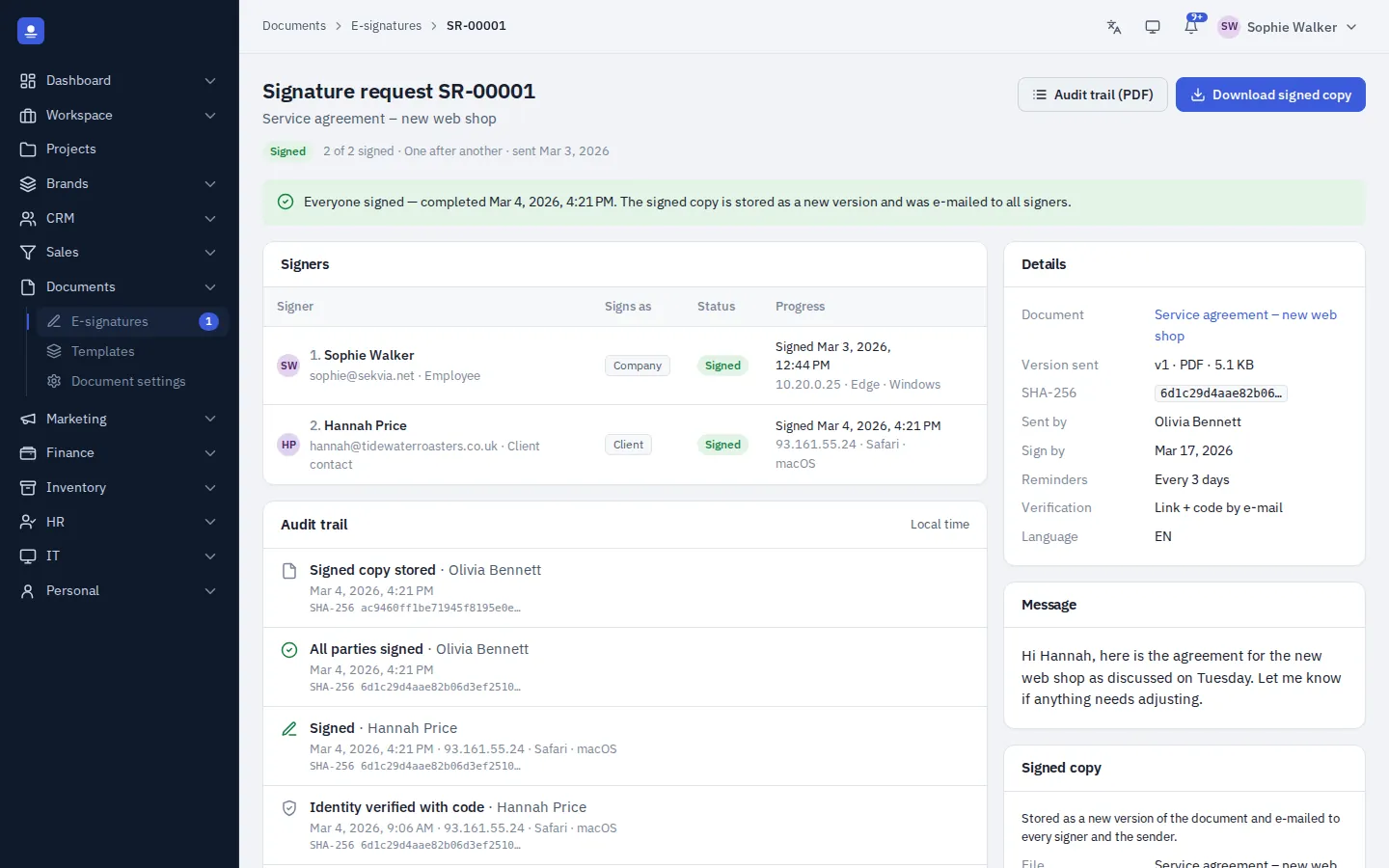
Signed by everyone, stored automatically
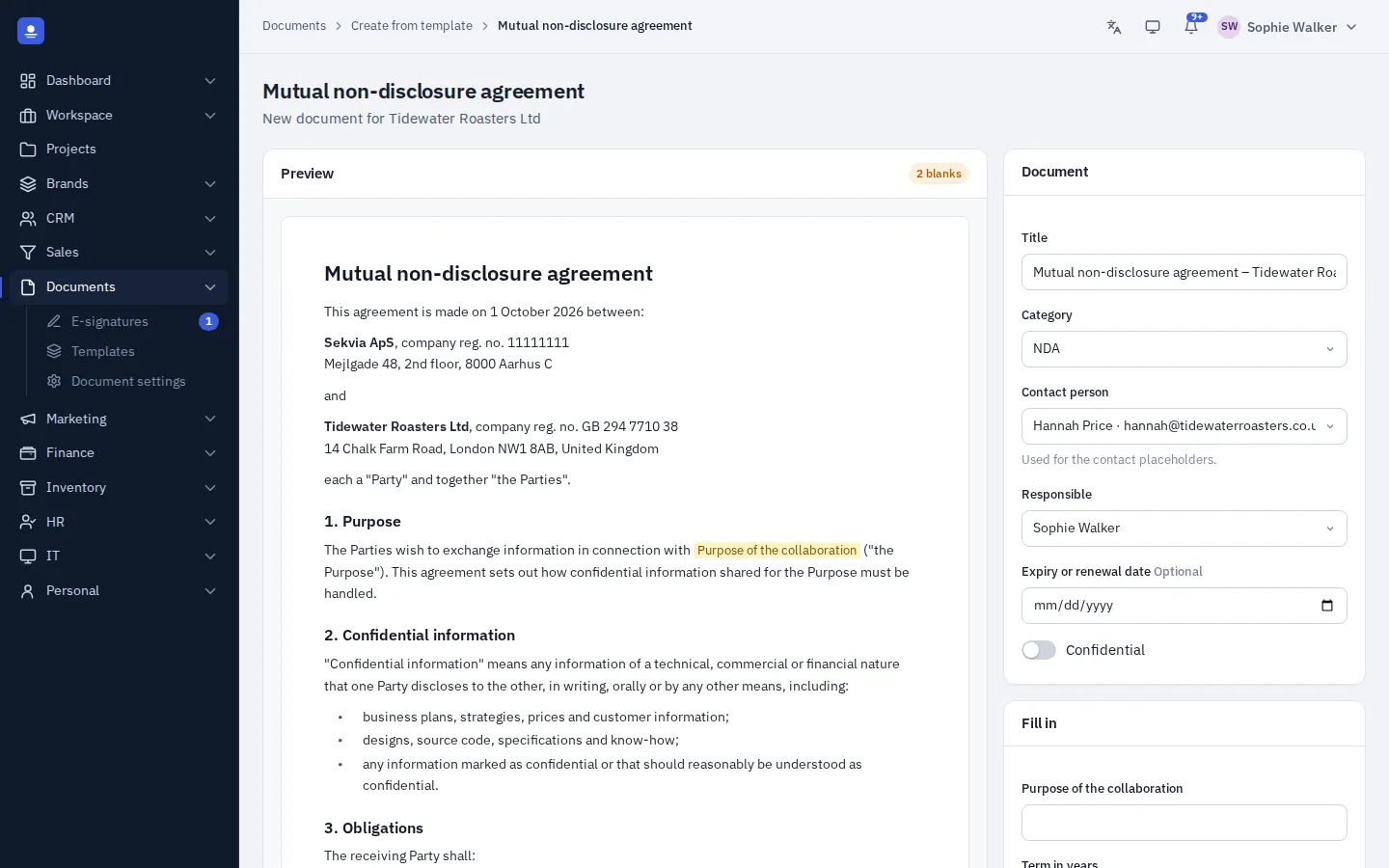
Send a document for e-signature and follow its status until everyone has signed.
When the last signature is in, the signed copy is stored automatically on the client, project or employee it belongs to. Nothing to download, rename or file by hand.
- Status tracking until everyone has signed
- Signed copies stored where they belong
How it works
From template to signed copy
Pick a template
Start from a contract template, and the client, company and price details are filled in.
Check and adjust
Review the document and make the changes this agreement needs. Each version is kept.
Send for signature
Send it for e-signature and follow the status until everyone has signed.
Stored automatically
The signed copy lands on the client, project or employee it belongs to.
In detail
What documents in PolyOmi do
-
Documents on the record
Store documents on the client, the project or the employee.
-
Versions
Each new version is saved, so earlier versions are not lost.
-
Templates
Contracts and other documents created from templates.
-
Details filled in
Client, company, prices and more, taken from what PolyOmi already knows.
-
E-signature
Send for signature and follow the status until everyone has signed.
-
Signed copies filed
The signed copy is stored automatically where it belongs.
A closer look at documents
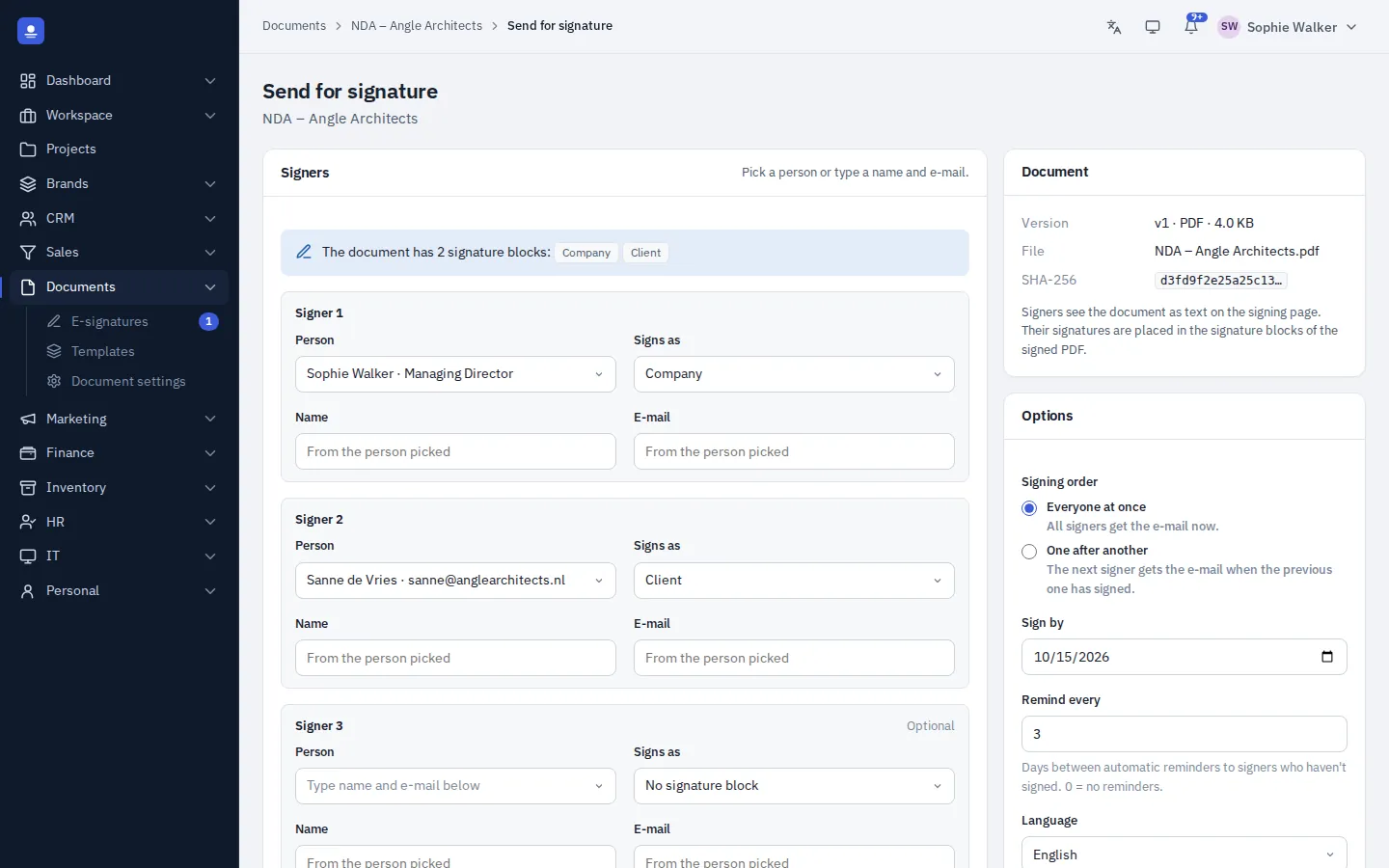
Send for signature
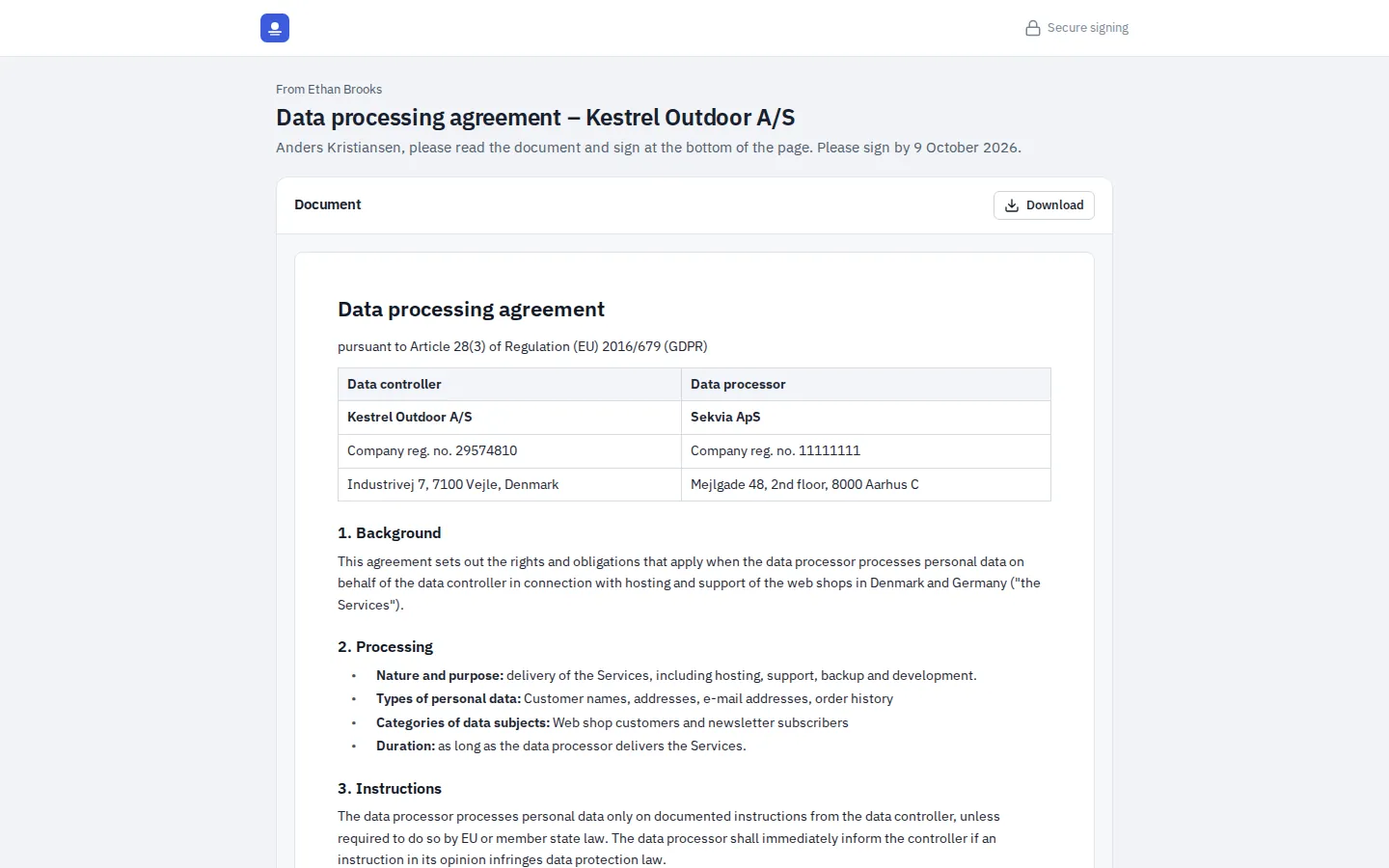
What the signer sees
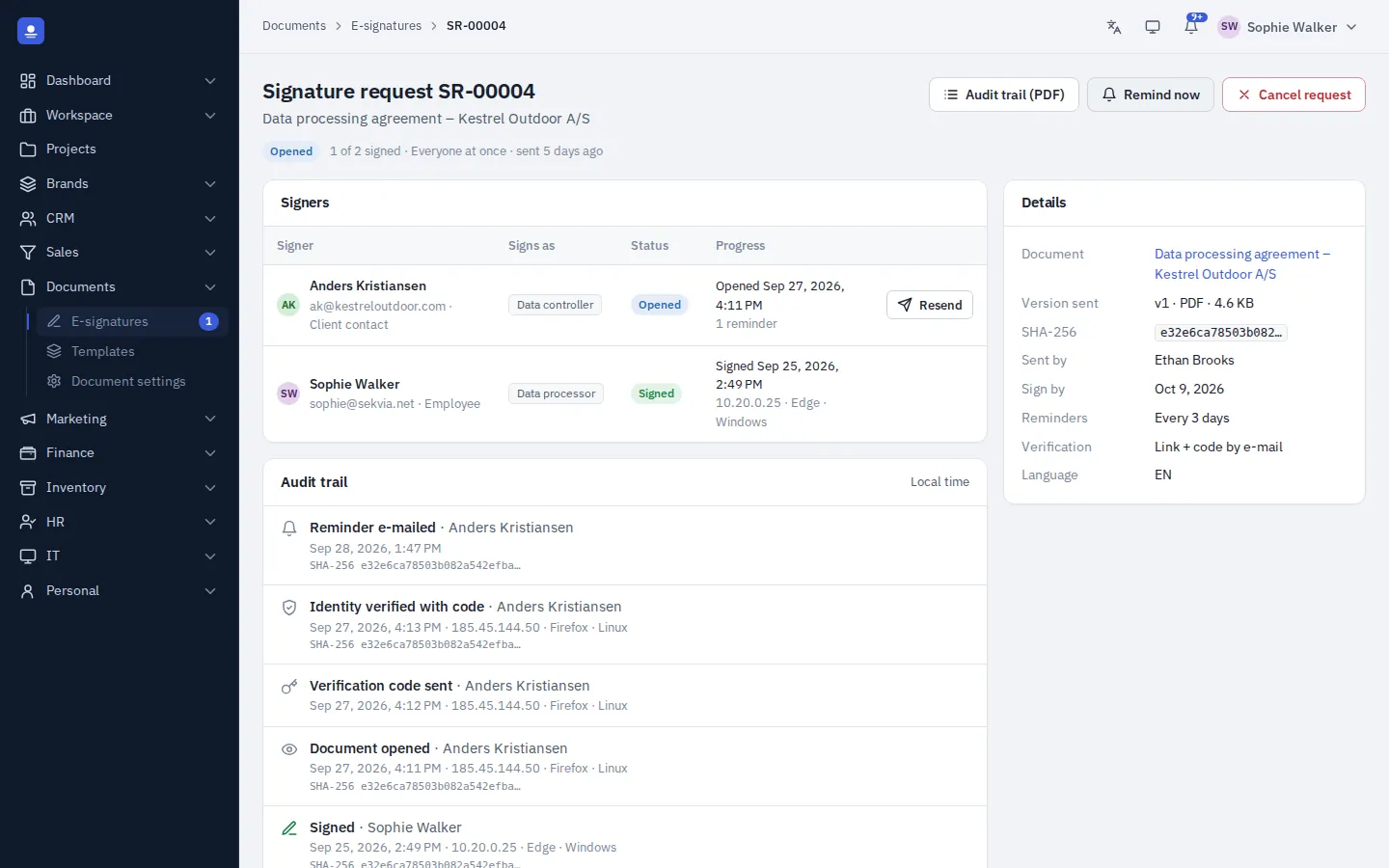
Track every signer
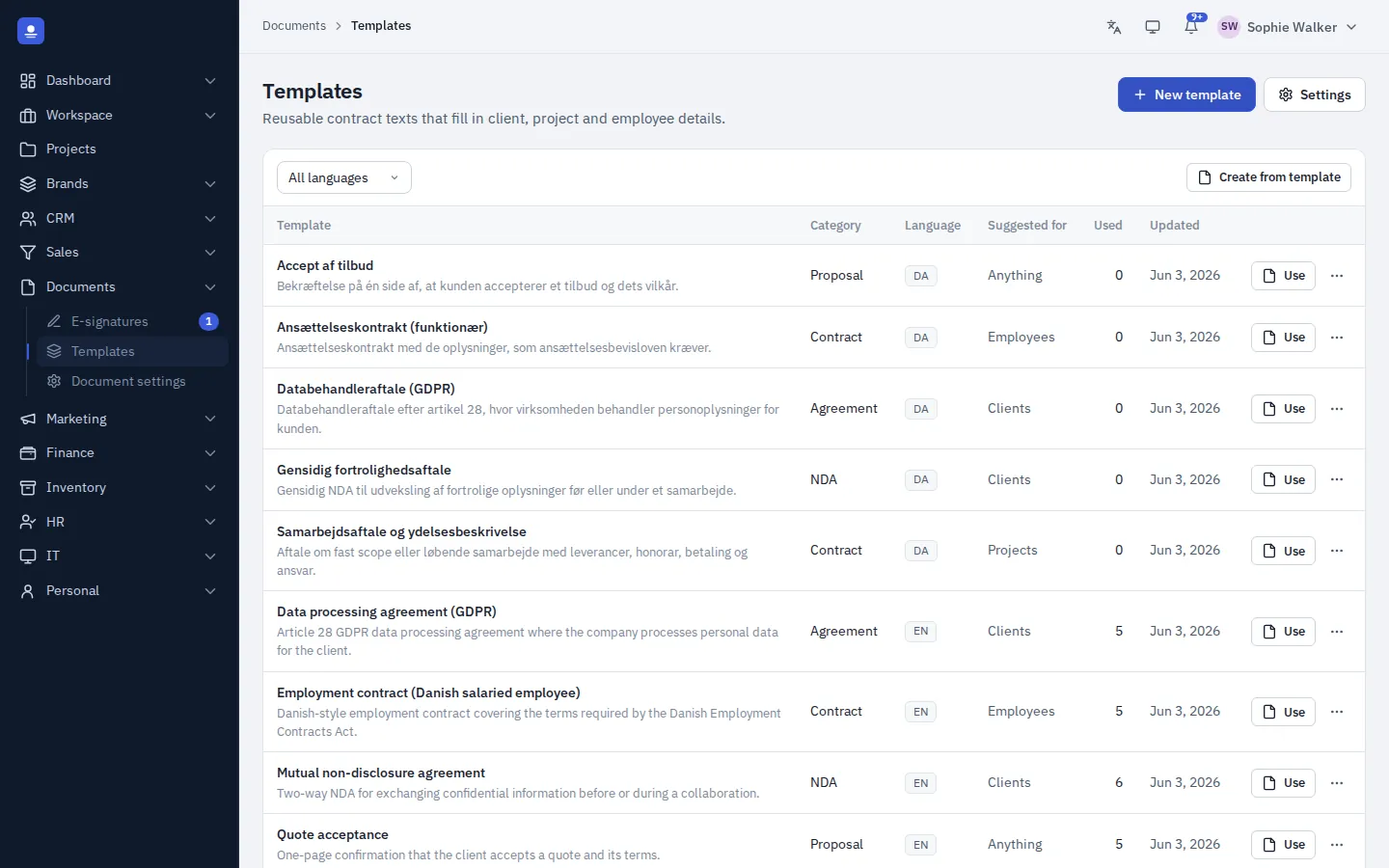
Templates in both languages
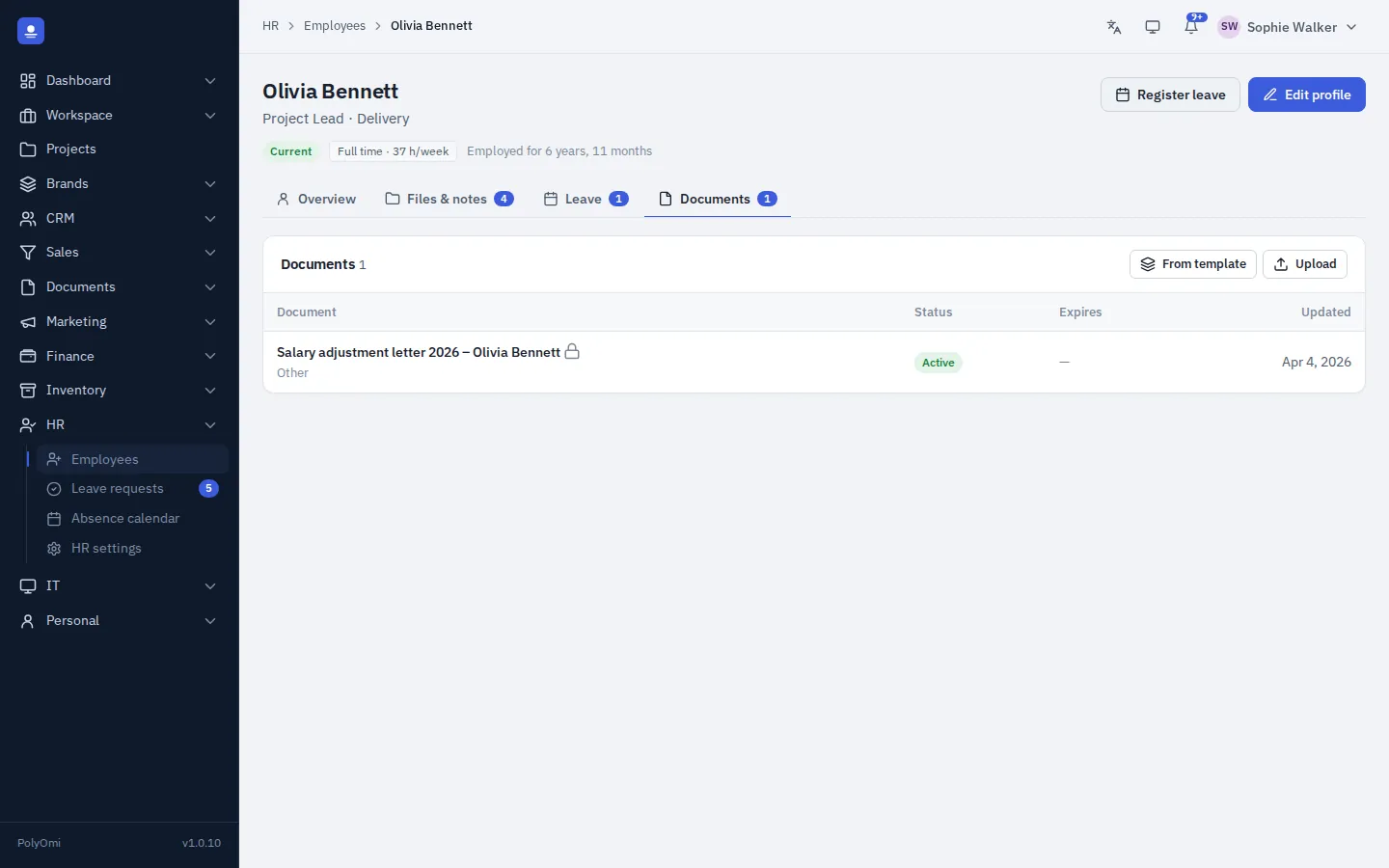
On the employee
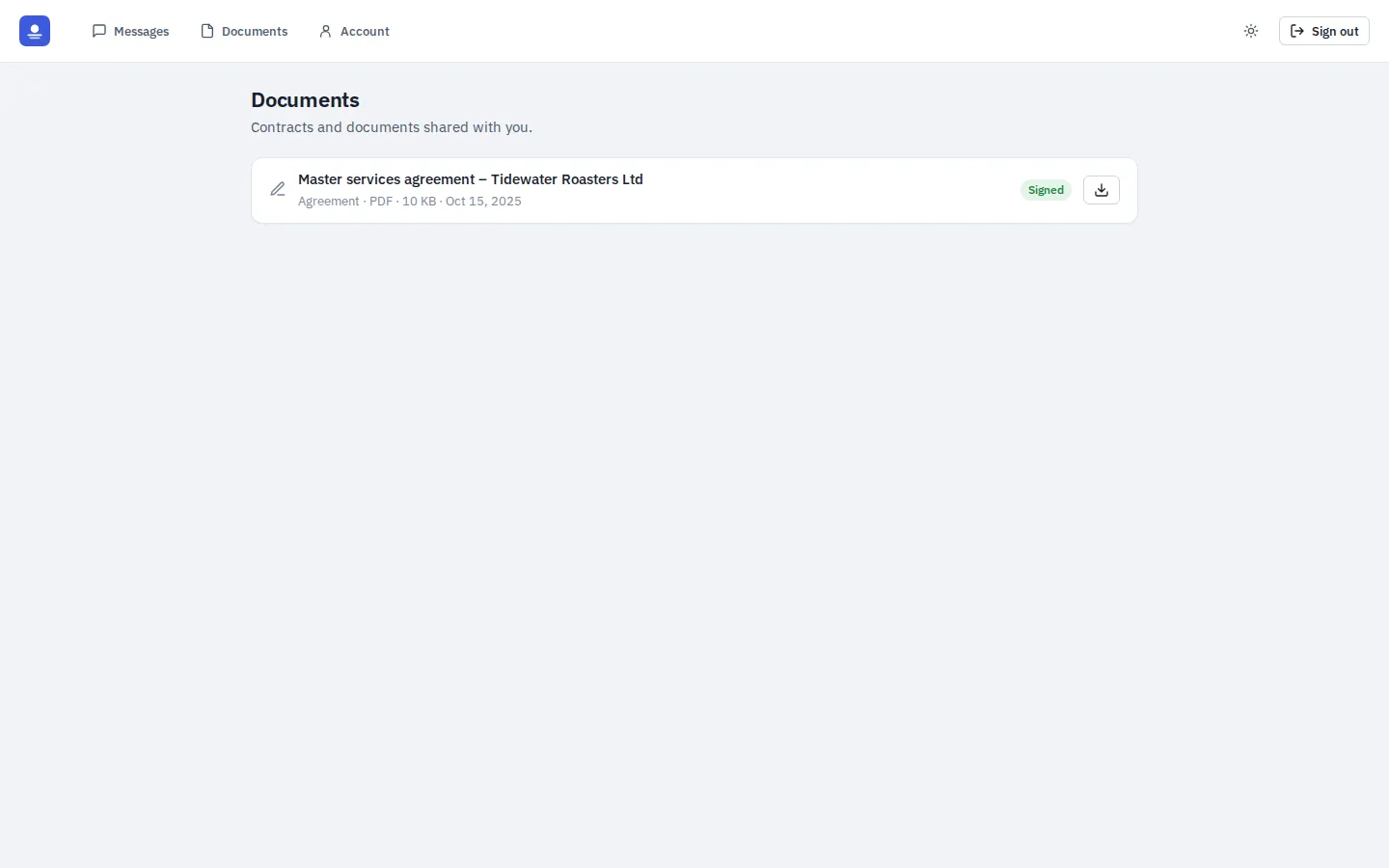
Shared in the client portal
Questions about documents
Where are documents stored?
On the client, project or employee they belong to, on your own server like the rest of your PolyOmi data. Every version is kept.
Can I use it for employment contracts?
Yes. Create the contract from a template and send it for e-signature. The signed copy is stored on the employee in HR automatically.
Which details can a template fill in?
Details PolyOmi already holds, such as the client, your company and prices. That keeps names, addresses and amounts consistent with the rest of the system.
How do I know when a document is signed?
You follow the status of each document until everyone has signed. When the last signature is in, the signed copy is stored where it belongs.
Get contracts signed without the paper chase
PolyOmi is in closed beta. Join the waiting list to keep documents, templates and signatures with the clients, projects and people they belong to when a spot opens.