
See what needs attention today
One screen with your tasks, tickets, hours and projects, and the numbers behind them one click away. Including website analytics that need no cookies at all.
Analytics without the baggage
- cookies set by the tracking snippet
- 0
- IP addresses stored
- 0
- small snippet per website
- 1
Personal dashboard
A start page that fits the role
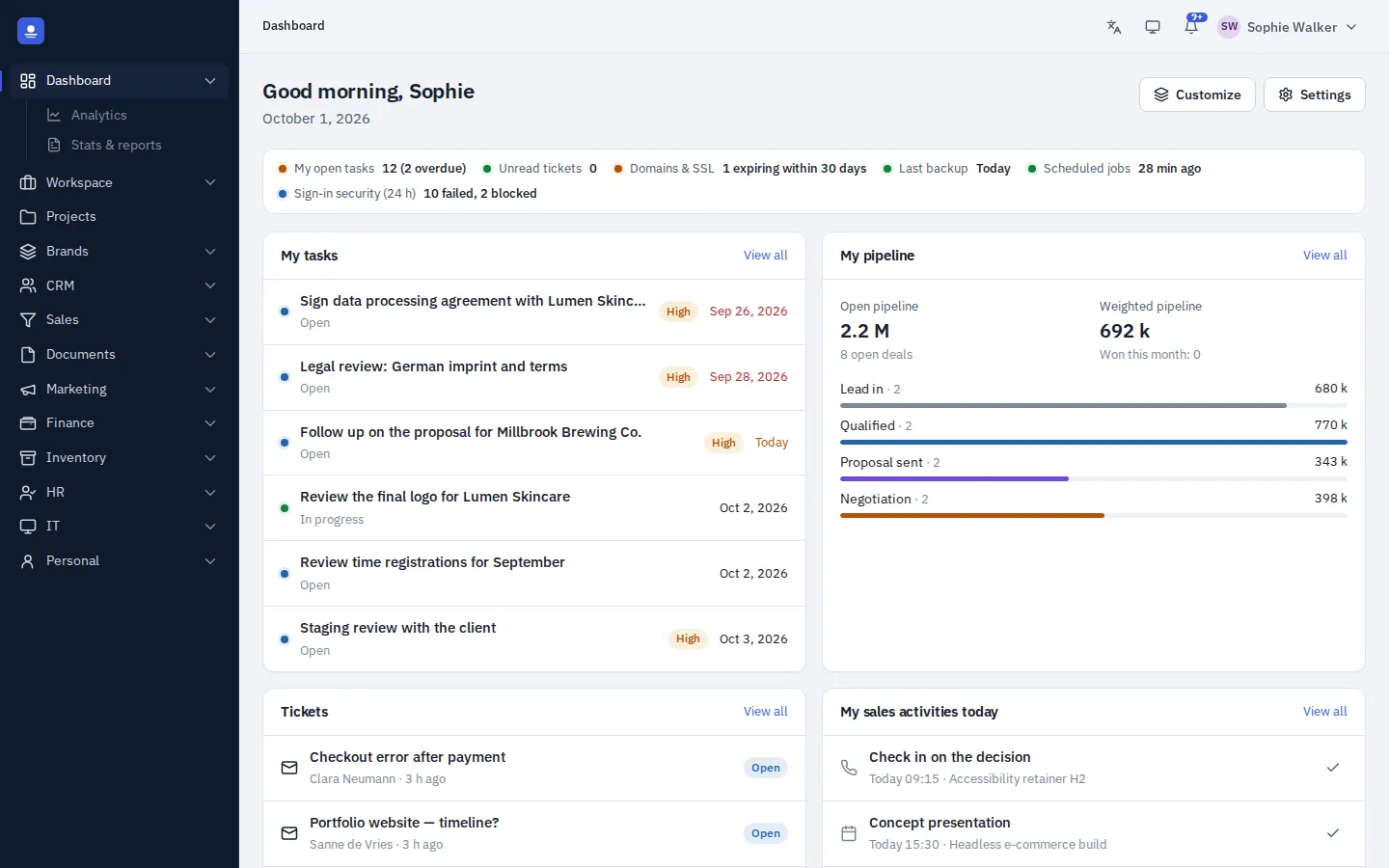
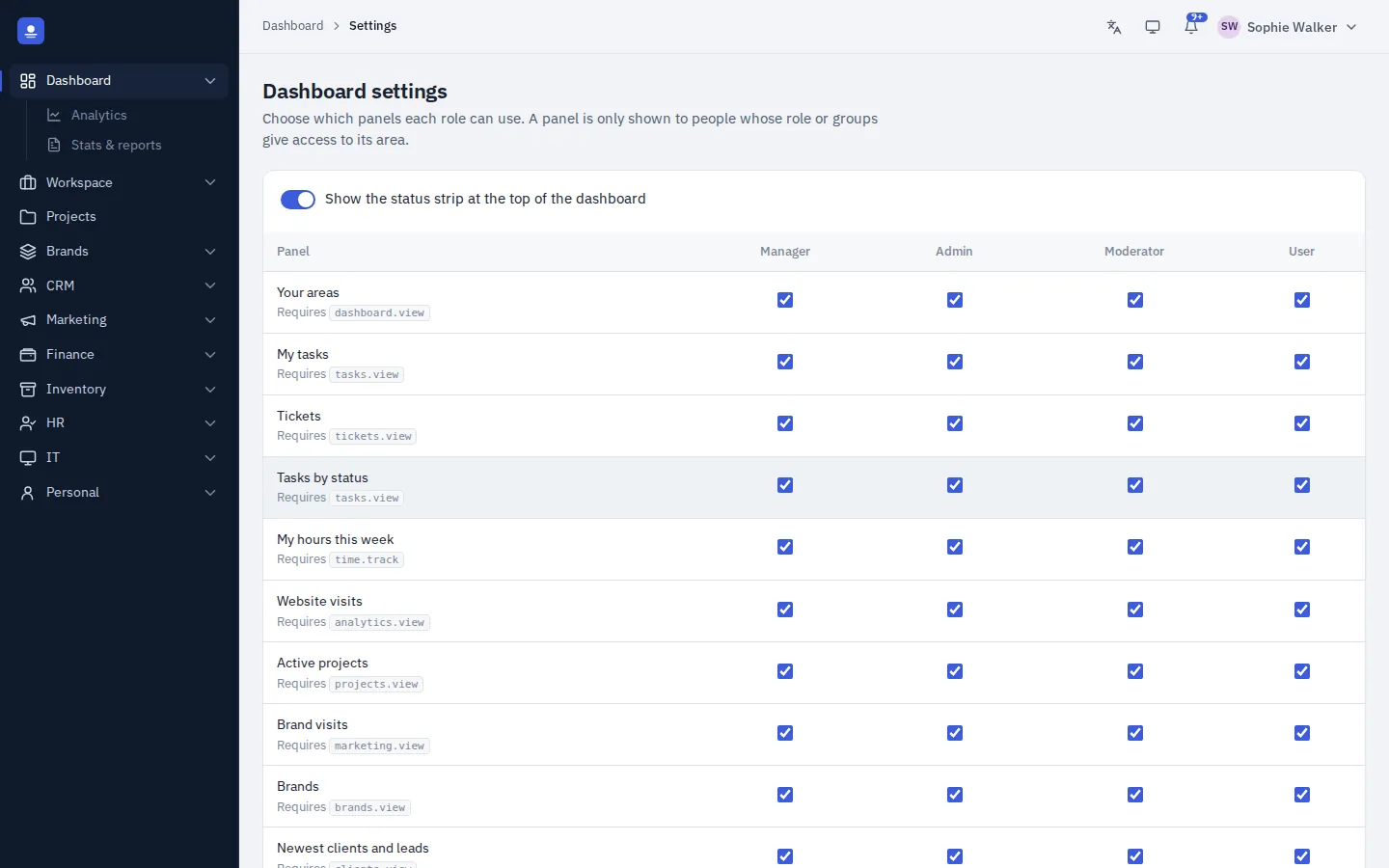
Every person is greeted with their own tasks, tickets, hours this week, active projects, brand visits and recent activity. Managers decide which panels each role sees, so a bookkeeper and a project lead each get the view they need.
Across the top, a status strip shows live signals: overdue tasks, unread tickets, expiring domains and certificates, the last backup, scheduled jobs and security alerts.
Website analytics
Know your traffic without a consent banner
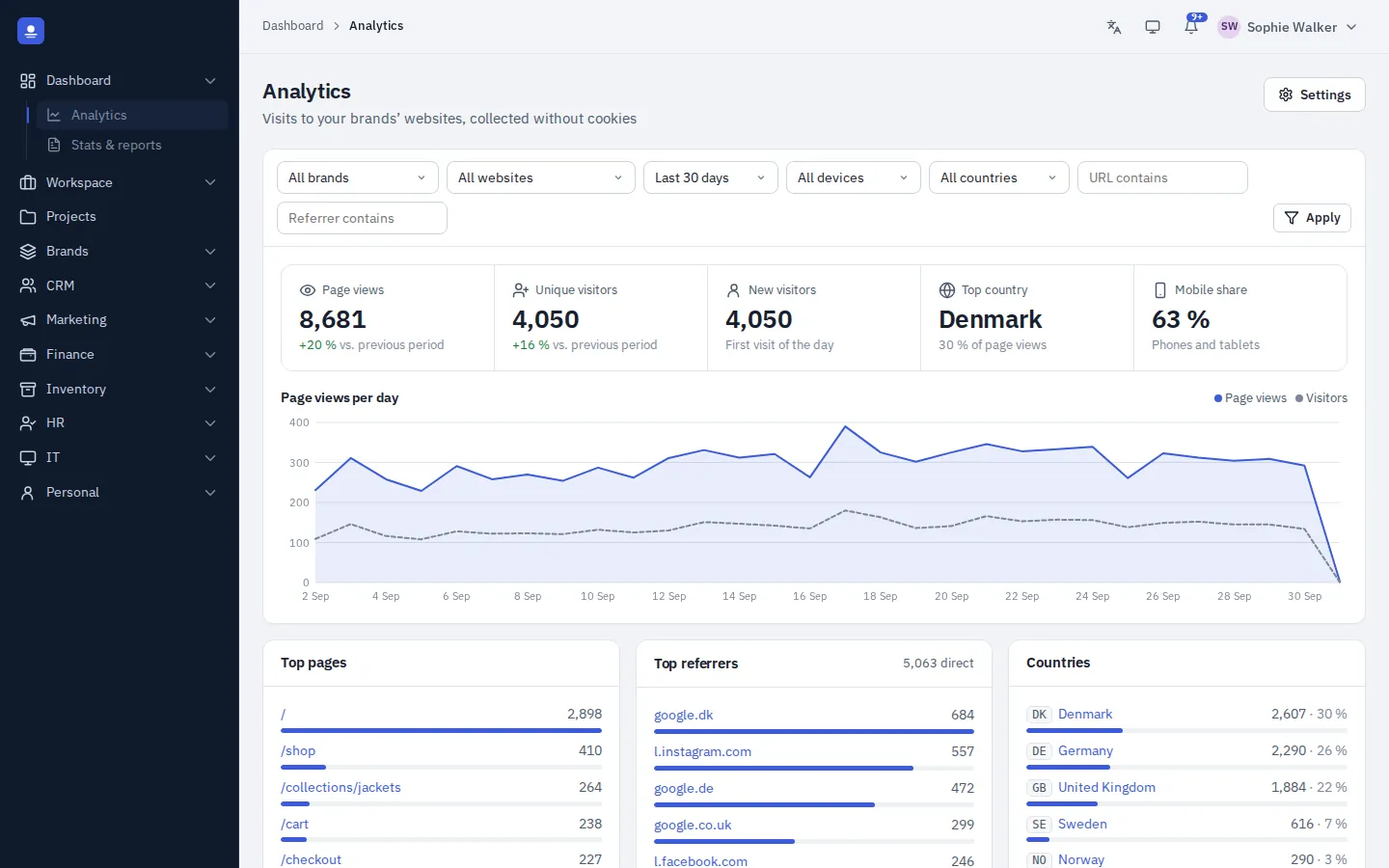
Add a small tracking snippet to each website. PolyOmi records page views, visitors, new visitors, top pages, referrers, countries, cities, devices and browsers. It sets no cookies and stores no IP addresses, so no consent banner is needed for it.
- Filter by brand, website, period, device, country, referrer or URL
- Compare any period with the one before
- Visits linked to the brand they belong to
Stats and reports
Numbers you can hand over
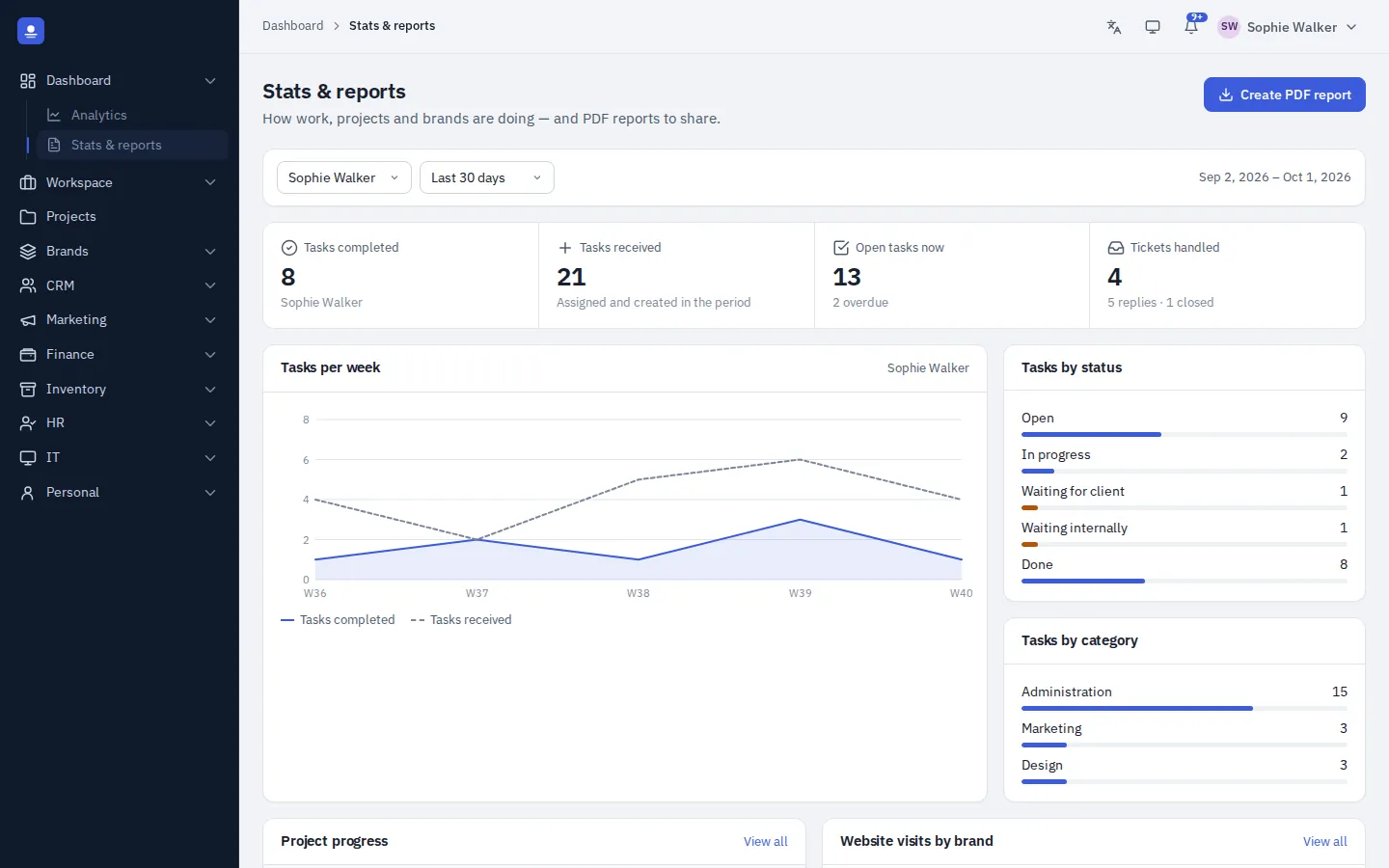
Task, ticket and project statistics per person and period show where the time goes. The PDF report builder turns the results into a report you can send to a client or bring to a management meeting.
In detail
What the dashboard shows you
-
Personal start page
Tasks, tickets, hours this week, active projects, brand visits and recent activity.
-
Panels per role
Managers choose which dashboard panels each role can see.
-
Live status strip
Overdue tasks, unread tickets, expiring domains and certificates, last backup and security alerts.
-
Cookie-free analytics
Page views, visitors, top pages, referrers, countries, cities, devices and browsers.
-
Filters and comparisons
Slice by brand, website, device, country, referrer or URL and compare with the previous period.
-
PDF report builder
Share results with clients or management as a clean PDF.
Dashboard FAQ
Do I need a cookie banner for the analytics?
The PolyOmi tracking snippet sets no cookies and stores no IP addresses, so no consent banner is needed for it. Other tools on your website may still need one.
Can different roles see different dashboards?
Yes. Managers choose which panels each role sees.
Can I track several websites?
Yes. Add the snippet to each website and filter the analytics by brand or website.
Start every day with the right overview
PolyOmi is in closed beta. Join the waiting list to see your own numbers when a spot opens.